The best AI carousel generators for Instagram (2026)
Seven AI carousel generators compared: what each one needs from you, what it hands back, whether it posts to Instagram, and what it costs today.
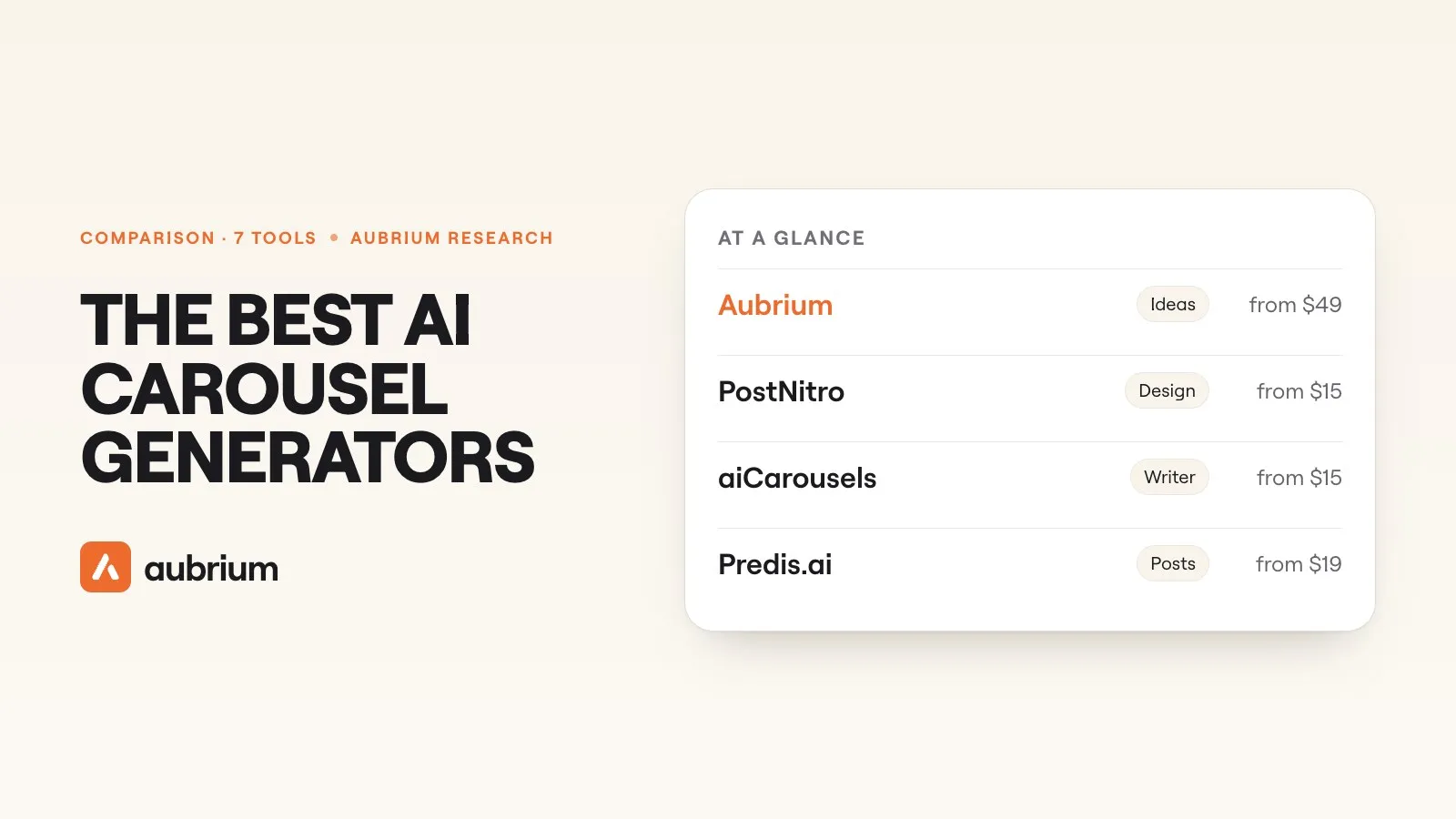
Of the 12,000+ viral carousels in our library, the middle one has 7 slides. Six in ten have between 4 and 10.
That's seven slides to write, lay out and keep on brand, every time you post one. An AI carousel generator does that part for you. You give it a topic or a link, and it hands back slides with the words already on them.
They don't all do the same job, though. Some are design tools with an AI writer attached. Some are schedulers that also post the carousel. And only a couple help with the question that comes first: what should the carousel be about?
This guide compares seven. We make one of them, Aubrium, so here's the deal: we read every other tool's own site on 12 November 2026, we link each page, and we say where another tool is the better pick. We didn't test the other six hands-on.
For turning a topic or a link into designed slides, PostNitro, aiCarousels and Contentdrips are the best AI carousel generators for Instagram in 2026, all from $15 a month. Canva has the most templates and a free plan. Adobe Express schedules carousels on its free plan. If you don't know what to make yet, Aubrium starts from posts that already went viral in your niche.
What does an AI carousel generator do?
It turns something short into a finished carousel. You type a topic, or paste a link to an article or a video, and the tool writes a line for each slide and lays the slides out in a template.
Most of them work in three steps:
You bring the idea
A topic, some notes, a blog post, a YouTube link. The tool reads it. Very few tools help you choose the idea itself.
It writes and designs
The AI splits the idea into slides, writes each one, and drops them into a template in your colours and fonts.
You edit and export
You fix the words, download the slides as images, and post them. A few tools post to Instagram for you.
The second step is where these tools are strong, and where they're most alike. The first and third are where they differ, so that's what the table below is built around.
What should you look for in one?
What a good AI carousel generator gets right
- Yes: It takes what you already have: a topic, a link, a video or your own notes
- Yes: It writes the slides, not only the layout
- Yes: You can change every word, colour and font afterwards
- Yes: It exports at Instagram's portrait size, without a watermark
- Yes: Its free plan or trial lets you finish one carousel before you pay
- Yes: It helps you pick a topic that has worked before, or you have another way to
That last line is the one most tools skip. A generator makes whatever you ask for look good. It can't tell you if anyone wanted it.
The 7 tools at a glance
| Tool | Best for | You give it | Posts to Instagram? | Price from |
|---|---|---|---|---|
| 1. PostNitro | A topic or link turned into slides, then posted | Topic, text, article link, X thread | Yes: From $30/mo | Free plan; $15/mo |
| 2. aiCarousels | The fastest first carousel | Sentence, link, PDF, notes, YouTube video | No: Download and upload | $15/mo |
| 3. Contentdrips | Turning blogs and videos into carousels | Blog link, YouTube, TikTok or reel, tweets, text | Partly: Says yes; plan unclear | Free plan; $15/mo |
| 4. Canva | The biggest template shelf | A template, or a few words | Partly: Paid, single posts per its help page | Free plan |
| 5. Adobe Express | Scheduling carousels without paying | A template, or a prompt | Yes: On the free plan | Free plan |
| 6. Predis.ai | Brands that want posts and ads from one prompt | Topic, product page, PDF, YouTube link | Yes: Auto-posting on higher plans | $19/mo, billed yearly |
| 7. Aubrium | Knowing what the carousel should be about | A viral post from your niche, or your idea | No: Download and upload | $49/mo |
The 7 tools, one by one
1. PostNitro
Carousel design toolFrom $15/moBest for: A topic or link turned into slides, then posted
PostNitro calls itself "a design engine for social content". You give it a topic, your own text, an article link or an X thread, pick how many slides you want, and it "writes and designs them". You get 4:5, 1:1 and 16:9 sizes, a brand kit, and PNG, PDF or MP4 exports.
It's the only dedicated carousel tool on this list that says it posts natively to Instagram, as a carousel and to your story at once. That needs the Creator+ plan. The free plan and the $15 Starter design and export only, and free exports carry a watermark.1
- Pricing
- A free plan; Starter $15, Creator+ $30, Team+ $60 a month1
- Free plan
- Up to 5 slides, 5 downloads a month, watermarked
- Slides per carousel
- 8 on Starter, 15 on Creator+, 20 on Team+
- Platforms
- Instagram, LinkedIn, TikTok, Facebook, Pinterest, X, Threads
- Takes a topic, text, a link or a thread
- Posts to Instagram from Creator+
- The free plan stops at 5 slides, with a watermark
- You bring the topic
2. aiCarousels
AI carousel generatorFrom $15/moBest for: The fastest first carousel
aiCarousels says it "was the first AI carousel generator, in 2023". You give it "a sentence, a link, a PDF, your notes or a YouTube video", and "the AI writes every slide and the caption". The writer picks the length, usually 6 to 10 slides, up to 20 on Pro. Exports are PDF, PNG and MP4.
You can try it with no sign-up and no card. The catch is the free try: it's "one carousel, to edit, not to download". And it posts to LinkedIn only. For Instagram you download the files and upload them yourself.2
- Pricing
- Pro $15 a month, or $120 a year; Team $59 a month for 5 people2
- Free plan
- One carousel to edit, not download
- Slides per carousel
- Up to 20 on Pro
- Platforms
- LinkedIn, Instagram, TikTok, Threads, X, YouTube Shorts
- Writes the caption with the slides
- First try needs no account
- No download without paying
- Posts to LinkedIn only
3. Contentdrips
AI carousel makerFrom $15/moBest for: Turning blogs and videos into carousels
Contentdrips "turns any topic, blog, or video into polished carousels". It takes the widest set of sources here: a blog link, a YouTube video, a TikTok, tweets, a spreadsheet or plain text. Its site says it applies no watermark, and that an AI ideas tool "generates daily post ideas based on your role, niche, and audience". It doesn't say where those ideas come from.
Its pricing page showed two different sets of plans on the day we read it, so check the price at checkout. The set with prices listed publishing to LinkedIn only; the site's home page says it schedules to Instagram too.3
- Pricing
- A free plan; Starter $15 and Pro $26, billed monthly, on the cards with prices3
- Free plan
- 50 AI credits, basic templates; an AI carousel uses 10
- Platforms
- LinkedIn and Instagram
- The most kinds of source to start from
- No watermark, per its site
- Slide limits and sizes aren't published
- Its pricing page disagreed with itself when we read it
4. Canva
Design toolFreeBest for: The biggest template shelf
Canva is a general design tool, and its shelf is the biggest: more than 12,000 Instagram carousel templates on the day we looked. You pick one and edit it page by page. Its AI, Magic Design, starts a design from "a few words to describe the design you have in mind", and Magic Write drafts text.
We didn't find a Canva feature that turns a link or an article into a written carousel. Scheduling is on paid plans, needs an Instagram Business account, and Canva's own Instagram help page says "you can only schedule single video or image posts".4
- Pricing
- A free plan; Pro US$144 a year for one person4
- Free plan
- Yes, with limited AI use
- Platforms
- Any; schedules to Instagram, Facebook, LinkedIn, Pinterest, X and more
- More than 12,000 carousel templates
- A real free plan
- No link-to-carousel writer on its own pages
- Scheduling is paid, and single posts only per its help page
5. Adobe Express
Design tool with a schedulerFreeBest for: Scheduling carousels without paying
Adobe Express is Adobe's quick design app. A carousel here is a multi-page post: its Instagram page says any post becomes a carousel "with the multiple page feature", and it can "create templates from a text prompt".
The scheduler is the stand-out. It's on the free plan, for one account per network, and Adobe's blog says "multi-page Express files can now be quickly turned into social carousels". There's no dedicated carousel writer, though. You build the slides from a template or a prompt.5
- Pricing
- A free plan; Premium US$9.99 a month5
- Free plan
- Yes, with limited AI credits and one account per network
- Platforms
- Instagram, TikTok, Facebook, X, Pinterest, LinkedIn
- Schedules carousels on the free plan
- The cheapest paid plan here
- No tool that writes a carousel from a link
- You bring the topic
6. Predis.ai
AI post and ad makerFrom $19/moBest for: Brands that want posts and ads from one prompt
Predis.ai's carousel maker takes a topic, "a product page, PDF or YouTube link" and "returns an editable Instagram carousel with slide copy, a caption and hashtags". Connect your Instagram account and it can post for you. Its plans also list post ideas and competitor look-ups.
Its home page now leads with ads: "The AI Ad Generator". There's no free plan, only a 3-day trial that takes a card, and the entry plan lists "No Auto Posting".6
- Pricing
- Core from $19 a month, billed yearly ($230); Rise from $406
- Free plan
- None. A 3-day trial, with a card
- Platforms
- Instagram, Facebook, TikTok, LinkedIn, YouTube, Pinterest
- Slides, caption and hashtags from one prompt
- Can post to Instagram
- No free plan
- Built for ads first
7. Aubrium
Viral post library, with a carousel writerFrom $49/moBest for: Knowing what the carousel should be about
Aubrium works the other way round. It's a library of Instagram posts that reached far more people than their creator has followers, all from accounts with 1,000 to 100,000 followers. You pick your niche, find a carousel that took off, and Make my version writes your own slides from it. You can also type your own idea and get every slide written and designed.
It isn't a design tool. There's a small set of looks, not a template shelf, and no brand kit. You can change every word, photo, colour and font, then download the slides. It doesn't post for you, and it's the most expensive tool here if a carousel is all you want.
- Pricing
- $49, $99 or $249 a month. Every plan has every tool.7
- Free plan
- None. You can sign up with no card and see your niche's viral posts before you pick a plan. A first plan is refundable within 15 days.8
- Platforms
- Starts from posts that already went viral for accounts your size
- Writes reel scripts and hooks too
- A few looks, no template shelf or brand kit
- Doesn't post or schedule
- No free plan or trial
Which ones post to Instagram for you?
Fewer than you'd think. Here's what each site says.
Posting a carousel to Instagram, per each tool's own site
- Yes: PostNitro: posts a carousel and a story natively, from the Creator+ plan
- Yes: Adobe Express: schedules multi-page files as carousels, on the free plan
- Yes: Predis.ai: posts once your account is connected; the entry plan lists "No Auto Posting"
- No: Canva: paid scheduling, and its Instagram help page says single image or video posts
- No: aiCarousels: LinkedIn only; for Instagram you download and upload
- No: Aubrium: download and upload
Contentdrips says it publishes to Instagram, but we couldn't tell from its pricing page which plan that needs.
Downloading and uploading isn't much work. A carousel is a handful of images, and Instagram's own app adds music, tags and a collab invite as you post.
Does a generator pick the topic for you?
Mostly no. On five of the seven sites, you bring the topic and the tool does the rest. Contentdrips and Predis.ai list idea features, and neither says what the ideas are based on.
That matters more than the design. Carousels in our library don't look alike: some are plain text on a flat colour, some are photo dumps. What they share is a subject people wanted to swipe through. How many slides a carousel should have is a smaller question than what it's about.
So a sensible set-up is two tools. Use a research tool to find a topic that has already worked for accounts like yours. Our guide to the tools that find viral posts compares those. Then use whichever generator above fits your budget to design it. Aubrium does both halves, with fewer design options than the dedicated tools.
Which one is right for you?
| If you… | Pick |
|---|---|
| have a topic or a linkand want designed slides | PostNitro, aiCarousels or Contentdrips |
| want the tool to postthe carousel too | PostNitro on Creator+, or Adobe Express |
| want to pay nothing | Canva or Adobe Express |
| turn blogs or videosinto carousels | Contentdrips |
| already design in Canva | Canva, with Magic Write for the words |
| run a brandand want ads as well | Predis.ai |
| don't know what to post | Aubrium, then any design tool you like |
Questions people ask
What is the best AI carousel generator for Instagram?
For turning a topic or a link into designed slides, PostNitro, aiCarousels and Contentdrips, all from $15 a month. Canva has the most templates and a free plan. If you need the idea first, Aubrium starts from posts that already went viral in your niche.
Is there an AI carousel generator with a free plan?
Yes. Canva and Adobe Express have free plans. PostNitro's free plan makes carousels of up to 5 slides with a watermark, and Contentdrips gives 50 AI credits. aiCarousels lets you try one carousel but not download it. Predis.ai and Aubrium have no free plan.
Can ChatGPT make an Instagram carousel?
It can write the words for each slide. You still need a design tool to lay them out, which is why aiCarousels accepts slides written in ChatGPT or Claude. Aubrium also works inside ChatGPT and Claude.
How many slides should an Instagram carousel have?
Instagram allows up to 20. Of the 12,000+ viral carousels in Aubrium's library, the middle one has 7 and six in ten have 4 to 10. Those had all taken off already, so that's what viral carousels have, not the odds for a new one.
What size should an Instagram carousel be?
Portrait. Adobe's own guide says "vertical images should be sized at 1080px by 1350px with a 4:5 aspect ratio". aiCarousels exports at 1080 × 1350 too.
Can an AI carousel generator post to Instagram for me?
Some can. PostNitro does from its Creator+ plan, Adobe Express schedules carousels on its free plan, and Predis.ai posts once you connect your account. With aiCarousels, Canva and Aubrium, you download the slides and upload them.
Do carousels still work on Instagram?
They're a real share of what takes off: Aubrium's library holds 12,000+ viral carousels. How carousels compare with reels and photos depends on your goal, and that guide has the studies.
How we did this
We read each tool's own site on 12 November 2026: its home page, its pricing page and its help pages, and we quote them where the wording matters. We didn't test PostNitro, aiCarousels, Contentdrips, Canva, Adobe Express or Predis.ai hands-on for this guide, so nothing here says whose slides look best. Where a site didn't state something, we say so.
The list started from the tools ChatGPT names when you ask it this question, plus Adobe Express. Aubrium's numbers come from its own library, read on 12 November 2026. Prices change. If something here is out of date, tell us and we'll fix it and move the date. And yes, Aubrium makes this page.
Sources
- PostNitro pricingpostnitro.ai · Plans, slide limits, the free plan's watermark, which plans publish. And its home page: inputs, sizes, exports. Read 12 November 2026.
- aiCarousels pricingaicarousels.com · Pro and Team prices, the free try. And its home page: inputs, slide counts, LinkedIn posting. Read 12 November 2026.
- Contentdrips pricingcontentdrips.com · The free plan, Starter and Pro. And its Instagram carousel maker: sources, exports, no watermark; its home page: ideas, scheduling. Read 12 November 2026.
- Canva pricingcanva.com · Free and Pro. And scheduling posts on Instagram: Business accounts, single posts; carousel templates; Magic Design. Read 12 November 2026.
- Adobe Express pricingadobe.com · Free and Premium. And Instagram posts: multi-page carousels, sizes; the Content Scheduler: carousels from multi-page files. Read 12 November 2026.
- Predis.ai pricingpredis.ai · Plans, the 3-day trial, "No Auto Posting". And its carousel maker; its home page. Read 12 November 2026.
- Aubrium pricingaubrium.com · Plans, accounts and Sparks. Read 12 November 2026.
- Can I get a refund?Aubrium Help Center · A first subscription refunded in full within 15 days. Read 12 November 2026.
Changelog
- First version.
Read next
 Tools & Comparisons11 min readIs the Edits app enough to find reel ideas?Edits is Instagram's own editor, and its Inspiration tab is a real source of ideas. Here's what Meta says it shows, where it works, and what it leaves out.
 Tools & Comparisons15 min readThe best Viral Sonar alternatives for finding viral reelsViral Sonar brings you the reels taking off in one niche, once a day. Eight alternatives, ours included: which ones you can search, and which write the script too.
 Tools & Comparisons15 min readThe best Creadar alternatives for researching Instagram reelsCreadar watches the accounts you add, and it can't search for reels. Eight alternatives, ours included: which ones find reels from accounts you don't know yet.