Is the Edits app enough to find reel ideas?
Edits is Instagram's own editor, and its Inspiration tab is a real source of ideas. Here's what Meta says it shows, where it works, and what it leaves out.
You open Edits to cut a clip, and there's a tab waiting with ideas in it. Trending sounds, popular topics, reels other people are posting. It comes from Instagram itself, and it costs nothing.
So it's fair to ask if you need anything else. Plenty of creators don't, at least at first.
Here's the kind of idea we'd want any app to turn up, though. In July 2026, a factory tour that opened on the words "We are a 34-year-old factory" reached 3,697,393 views. The account behind it, @meier…, had 6,717 followers. That's 550 times its follower count.
Would you ever see a reel like that? It depends on what an app lets you ask for. This guide covers what Meta says Edits shows you, where each part works, and what it leaves out. We make Aubrium, and it's in this guide, so read with that in mind. We read Edits and CapCut from their own pages and didn't test either hands-on. Our hands-on tests are in our comparison of the tools that find viral reels.
Edits is enough to start. It shows trending audio, popular topics, templates and reels that are trending on Instagram, and it's free. Meta's pages describe no way to filter those reels by account size or country, read a reel's hook, or follow rivals. Aubrium does those. Our honest answer is to use both: research in Aubrium, edit in Edits.
What does Edits give you for reel ideas?
More than most people expect from an editor. Meta launched Edits in April 2025 as "a new video creation app", and ideas were part of it from day one.1 Its launch post promised "an inspiration feed of reels with trending audio".2
Today there are four parts to it.
The Inspiration tab
Meta's tutorial calls it "a built-in inspiration tab". It promises "personalized inspiration based on what you post, including trending audios, popular topics, and ready-to-use templates".3
Trending reels
Instagram's help page says "you’ll see reels from public accounts that are trending on Instagram". Under each one, you can see how often it was viewed, liked and shared.4
A topic search
Since August 2026 the tab has a search. Meta's example is to type "birthday" or "travel" and get "audio, ideas and templates tailored to that moment".5
The Edits assistant
A chat that knows your account's numbers. It can tell you what's trending, and it finds "trending audio recommendations that match your niche and style".6
Meta sums up the tab in one line:
“See what other creators are posting and what's gaining traction — all in one place to spark your next idea.”
That's a real research feature, built by the company that runs the feed. We'd be wrong to wave it away.
Where does each part work?
The app works everywhere, but two pieces around it are US only. Meta says Edits is "available globally and free for download in the App Store and Google Play Store".2 A first desktop version, for macOS, arrived on 5 November 2026.7
| Part | What Meta says | Where it works |
|---|---|---|
| The Edits app | "available globally and free for download" | Worldwide, on iPhone and Android. On macOS since 5 November 2026 |
| Inspiration tab and trending reels | "reels from public accounts that are trending on Instagram" | No country limit on the pages we read |
| The Edits assistant | "rolling out to everyone using Edits in the US" | US only for now, with a daily prompt limit |
| Trending audio list in the Instagram app | "up to 50 audio tracks currently trending on Instagram" | "only available in the US and on the Instagram mobile app" |
The last two rows are easy to mix up. The assistant lives inside Edits.6 The list of 50 trending tracks lives in the Instagram app.8 Outside the US you get neither yet, but you still get the editor and the Inspiration tab, as far as Meta's pages say.
What do Edits' pages leave out?
It shows you what's trending, but Meta's pages describe no way to ask narrow questions about it. We didn't open the app for this guide, so "none described" below means just that.
Edits for ideas, per Meta's own pages
- Yes: Reels that are trending on Instagram, with their views, likes and shares
- Yes: Trending audio, popular topics and templates, based on what you post
- Yes: A search by topic that returns audio, ideas and templates
- Yes: Your own reels' numbers from the last 60 days
- No: A filter for the size of the account behind a reel: none described
- No: A filter for the creator's country: none described
- No: A reel's hook or its words written out: none described
- No: A way to follow rival accounts: none described
Why do those four matter? Because "trending" and "useful to you" can be two different things.
Meta says trending reels are suggested by things like "how popular the reel may be" and how people interact with it.4 Nothing on that page says the account is anything like yours. A reel from a huge account can be trending for reasons you can't copy.
A small account that reached a lot of people tells you more, because its idea did the work. Meta's pages describe no way to ask its trending feed for that reel by size.
How much does trending audio matter?
Less than its place in the app suggests. Edits and Instagram both put trending audio up front. In our library of reels that already took off, most didn't use a song at all.
Aubrium's library, 16 November 2026. Every reel in it had already taken off, so none of these is the odds for a new post.
The songs are spread thin, too. Among the library's reels posted in the last 30 days that use a song, there were more than 2,000 different songs on more than 2,800 reels. No one sound carried them.
So trending audio is worth a look, and we cover how to find trending audio in its own guide. But a sound is one part of a reel. The idea, the hook and the format are the rest.
What does a research tool add?
It lets you ask the narrow questions. A research tool has one job: to show you posts that already worked, with enough detail to learn from them.
Here are the three apps in this guide. Two are editors, and one is for research.
| App | What it's for | How you find ideas | Filter by account size and country? | Price from |
|---|---|---|---|---|
| Edits | Editing reels, with a feed of ideas | An Inspiration tab and trending reels | No: None described | Free |
| Aubrium | Finding viral reels from accounts like yours | A library you search and filter | Yes: Yes | $49/mo |
| CapCut | Editing video | Trending templates | No: No | Free plan |
The three apps, one by one
1. Edits
Instagram's video editorFreeBest for: Editing reels, with a feed of ideas built in
Edits is Instagram's own editor, and it's free to download.2 Its Inspiration tab shows trending audio, popular topics and templates, and you can search it by topic. Edits shows reels that are trending on Instagram too.
It also reads your own account. You can see your reels' numbers from the last 60 days, and compare up to 3 of your reels side by side.9, 5
The assistant is US only for now. Meta's pages describe no filter for account size or country, and no rival tracking. We didn't test it hands-on; this comes from Meta's own pages.
- Pricing
- Free. The assistant has a daily prompt limit.6
- Platforms
- iPhone, Android and macOS
- From Instagram itself, at no charge
- Ideas and editing in one app
- Reads your own reels' numbers
- The assistant is US only for now
- No account-size or country filter described
- No rival tracking described
2. Aubrium
Viral reel library, with a writerFrom $49/moBest for: Finding ideas proven on accounts like yours
Aubrium does the part Edits' pages leave out. It's a library of Instagram reels and posts that reached far more people than their creator has followers. Every account in it has 1,000 to 100,000 followers. It holds more than 290,000 posts, from more than 210,000 creators.
You pick a niche or search a topic, then filter by country, format, account size, hook type and date. Each reel shows its hook, its transcript, its caption and its audio. The creator's country is on 96.1% of posts. My Rivals follows public accounts you name, and shows which of their posts took off.
When a reel fits, Make my version writes your hooks, your script and a caption. Then you film and edit it somewhere else. Aubrium doesn't edit video or post for you, and it can't see your private Insights the way Edits can.
- Pricing
- $49, $99 or $249 a month.10
- Trial
- No free plan or trial. You can sign up with no card and see your niche's viral reels before you pick a plan. A first plan is refundable within 15 days.11
- Platforms
- Only accounts with 1,000 to 100,000 followers
- Filters for niche, country, format and hook type
- Each reel's hook and transcript, written out
- Follows rival accounts
- Doesn't edit video, schedule or post
- Instagram only for now
- No free plan or trial
3. CapCut
Video editorFrom Free planBest for: Editing, if you'd rather not use Edits
CapCut is the editor most people weigh against Edits. Its site calls it an "AI-Powered Photo & Video Editor". It has a timeline editor, auto captions and a page of trending templates.12
For ideas, it gives you less than Edits. A template is a look to copy, and it isn't another account's post. Its pages describe no way to find or search reels from Instagram. We didn't test it hands-on; this comes from its own site.
- Pricing
- A free plan, with paid plans above it. The page we read showed prices in a local currency, so we don't quote them.13
- Trial
- Its site says new users can try Pro for 7 days with no card, and that this varies by region.13
- Platforms
- Desktop, web and mobile
- A full editor with a free plan
- Trending templates
- No reels from other accounts
- No search of real posts
So is Edits enough?
For a lot of people, yes, at the start. It stops being enough when your questions get narrow.
You're new, you post what you enjoy, and you mostly want a sound, a template or a nudge. It's Instagram's own app and it's free, so start there.
Open the Inspiration tab before you pay for anything.You need reels from accounts your size, in your niche and your country, with the hook written out. Or you want to watch what rivals post.
That's research, and it's a different app's job.The two don't compete. One finds the idea, and the other makes the video. So pick a reel in Aubrium, write your version, then cut it in Edits and check its numbers there.
If you're still weighing where to look, we cover the wider set of apps for content ideas and the idea tools built for small accounts. We also answer whether Instagram has a TikTok Creative Center of its own.
Questions people ask
Is the Edits app good for finding reel ideas?
Yes, as a start. Its Inspiration tab shows trending audio, popular topics and templates, based on what you post, and Edits shows reels that are trending on Instagram. Meta's pages describe no filter for account size or country.
Is the Edits app free?
Yes. Meta says it's "available globally and free for download in the App Store and Google Play Store". The Edits assistant is free as well, with a daily prompt limit.
Is the Edits assistant available outside the US?
Not yet. Instagram's post of 30 September 2026 says it "is rolling out to everyone using Edits in the US". The pages we read give no date for other countries.
Can you search for reel ideas by topic in Edits?
Yes. Since August 2026 the Inspiration tab has a search. Meta says you can type a topic like "birthday" or "travel" and get audio, ideas and templates for it.
Does Edits show trending audio in every country?
Meta's pages put no country limit on the Inspiration tab in Edits. The separate list of up to 50 trending tracks inside the Instagram app is US only, and on mobile only.
Do I need another tool as well as Edits?
Only when you want narrower answers: reels from accounts your size, in your niche and country, with their hooks written out. Aubrium does that part and doesn't edit video, so the two fit together. Other apps that tell you what to post next answer from your own numbers or an AI prompt.
How we did this
We read Meta's and Instagram's own pages on 16 November 2026: the Edits blog, its tutorials, the Help Center and the newsroom. We quote them where the wording matters. Where a page didn't say something, we wrote "none described". That means we found no such claim on the pages we read, and the app may still do it. Edits and CapCut weren't tested hands-on: what we say about them comes from their own sites.
Aubrium's library numbers come from its own database, read on 16 November 2026. Every reel in it had already taken off, so the numbers describe the library and say nothing about how a new reel will do. Apps change; if something here is out of date, tell us and we'll fix it and move the date. And yes, Aubrium makes this page.
Sources
- Introducing EditsMeta Newsroom · The launch of Edits as a new video creation app. 22 April 2025. Read 16 November 2026.
- Edits, a new video creation appEdits blog, Instagram · Free to download worldwide; the inspiration feed with trending audio. 22 April 2025. Read 16 November 2026.
- Creative copilotEdits tutorials, Instagram · What the Inspiration tab shows. Read 16 November 2026.
- View trending reels on EditsInstagram Help Center · Which reels are shown, how they're suggested, the counts under each. Read 16 November 2026.
- Video insightsEdits blog, Instagram · Search in the Inspiration tab; comparing up to 3 reels. 19 August 2026. Read 16 November 2026.
- Meet the Edits assistantEdits blog, Instagram · What it knows, trending audio, the US roll-out, the daily limit. 30 September 2026. Read 16 November 2026.
- Edits desktop video editorEdits blog, Instagram · The first desktop version, for macOS. 5 November 2026. Read 16 November 2026.
- Find trending audio on InstagramInstagram Help Center · Up to 50 trending tracks; US only, on the mobile app. Read 16 November 2026.
- How to view insights of your published reels on EditsInstagram Help Center · Insights from the last 60 days. Read 16 November 2026.
- Aubrium pricingaubrium.com · Plans, accounts and Sparks. Read 16 November 2026.
- Can I get a refund?Aubrium Help Center · A first subscription refunded in full within 15 days. Read 16 November 2026.
- CapCutcapcut.com · What the editor is. And its templates page: trending templates. Read 16 November 2026.
- CapCut pricingcapcut.com · The free plan, the paid plans, the 7-day trial of Pro. Read 16 November 2026.
Changelog
- First version.
Read next
 Tools & Comparisons15 min readThe best Viral Sonar alternatives for finding viral reelsViral Sonar brings you the reels taking off in one niche, once a day. Eight alternatives, ours included: which ones you can search, and which write the script too.
 Tools & Comparisons15 min readThe best Creadar alternatives for researching Instagram reelsCreadar watches the accounts you add, and it can't search for reels. Eight alternatives, ours included: which ones find reels from accounts you don't know yet.
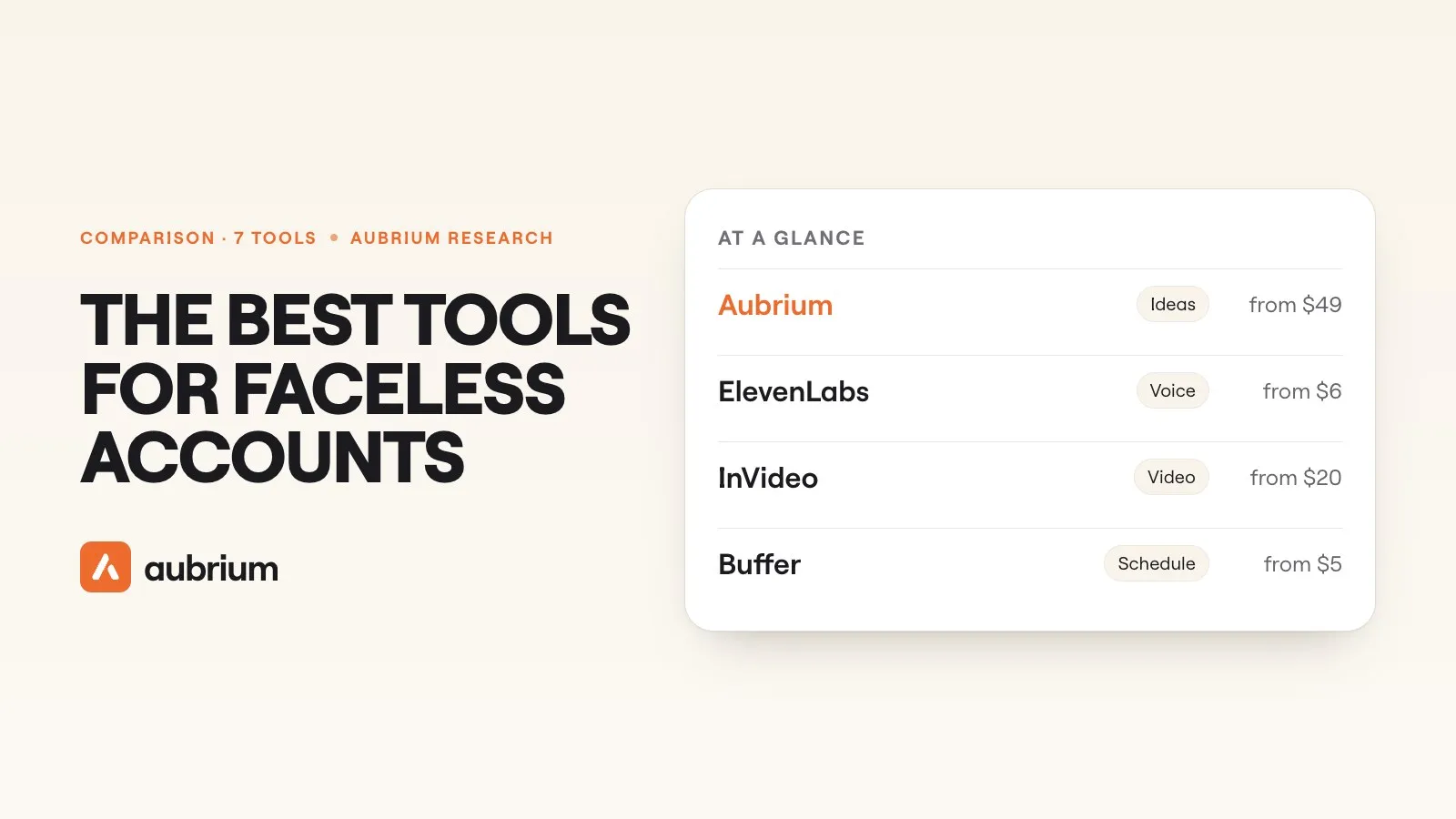 Tools & Comparisons11 min readThe best Instagram tools for faceless accounts (2026)A faceless account needs a tool for each step: the idea, the voice, the video, the slides and the schedule. Seven compared by job, with today's prices and free plans.