Is there an app that tells you what to post next on Instagram?
Yes, several. They answer from three places: your own numbers, an AI prompt, or posts that already worked for accounts like yours. Seven apps, sorted by which.
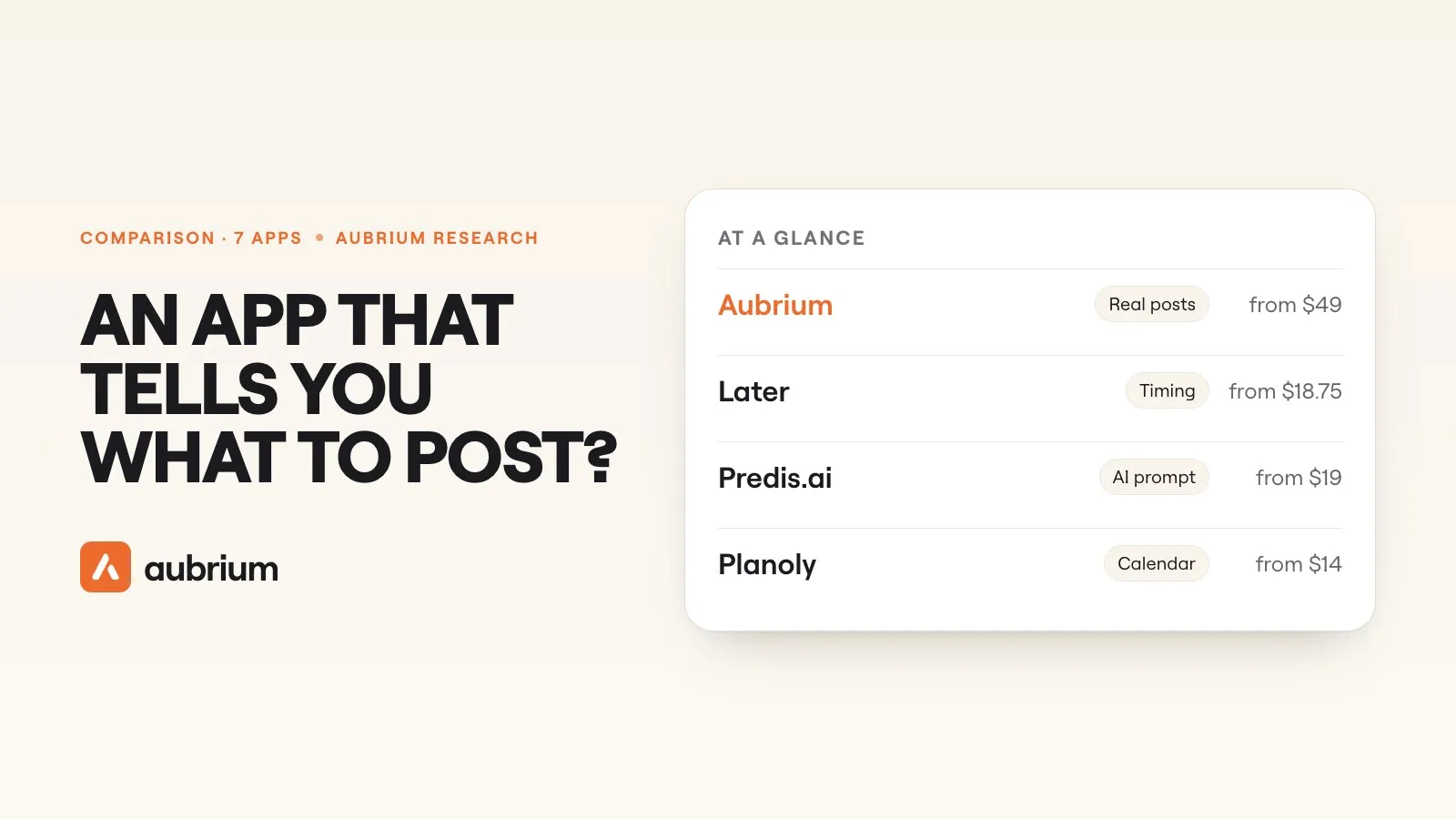
Yes. In fact there are more every month, and since 30 September 2026 Instagram has one of its own: an assistant inside its Edits app that you can simply "ask what to make next".
The harder question is where each app gets its answer. "Post a behind-the-scenes reel on Tuesday" can come from three very different places. It can come from your own account's numbers. It can come from an AI that was asked for ideas and knows nothing about Instagram this week. Or it can come from posts that already took off for accounts like yours.
Those three give different advice, and most apps only do one. This guide sorts seven by where the answer comes from. We make one of them, Aubrium. We read the other six from their own sites on 12 November 2026 and link each page. We didn't test them hands-on for this guide.
Yes. Instagram's own Edits app has an assistant that suggests what to make next from your account's numbers, in the US for now. Planoly, Buffer and Later suggest post ideas with AI, inside a scheduler. ChatGPT brainstorms on any topic. Aubrium answers from posts that already went viral for accounts your size in your niche, and writes your version.
Where can an app get "what to post next" from?
Three places. Knowing which one an app uses tells you how far to trust it.
Your own account
The app reads your past posts and says what did well. It's real data, but only about what you've already tried. It can't suggest something you've never posted.
An AI prompt
You describe your business, and an AI writes a list of ideas. It's fast and it never runs dry. Nothing in it has been tried on anyone.
Other accounts' results
The app shows posts that took off for accounts like yours, with their numbers. The ideas are proven on someone, and new to you.
The best answer usually mixes the first and the third: what's worked for you, plus what's working for people like you that you haven't tried.
What should you look for?
What a good 'what to post' app gets right
- Yes: It says where each idea came from
- Yes: It can show a real post behind the idea, with its numbers
- Yes: It knows your niche, narrowly, not just "fitness" or "food"
- Yes: It looks at accounts your size, not only famous ones
- Yes: It helps you turn the idea into a script or a caption
- Yes: It works without your Instagram password
The second line is the quickest test. Ask the app to show you a post like the one it's suggesting. If it can't, the idea is a guess.
The 7 apps at a glance
| App | Where the answer comes from | Shows real posts as proof? | Price from |
|---|---|---|---|
| 1. Aubrium | Posts that went viral for accounts like yours | Yes: Yes, with views and followers | $49/mo |
| 2. Edits | Your own account's numbers, plus Instagram trends | Partly: Its post doesn't say | Free; US only |
| 3. Planoly | An AI prompt, and a weekly trends calendar | No: Not on its site | Free mobile plan |
| 4. Buffer | An AI prompt, and ideas you save | No: Not on its site | Free plan |
| 5. Later | An AI prompt; timing from your own posts | No: Not on its site | $18.75/mo, billed yearly |
| 6. Predis.ai | An AI prompt, and competitors you add | No: Not on its site | $19/mo, billed yearly |
| 7. ChatGPT | An AI prompt, and a web search | No: No | Free plan |
The 7 apps, one by one
1. Aubrium
Viral reel library, with a writerFrom $49/moBest for: Knowing what's working for accounts like yours
Aubrium answers from other people's results. It's a library of Instagram reels and posts that reached far more people than their creator has followers, all from accounts with 1,000 to 100,000 followers. Add your account and Find Ideas opens on your niche, your region and accounts close to your size. Every idea is a real post, with its views, its hook and the account behind it.
It also reads your own reels and shows how they match what goes viral in your niche. When an idea fits, Make my version writes your script, hooks and captions. It doesn't schedule or post, and it's the most expensive app here.
- Pricing
- $49, $99 or $249 a month. Every plan has every tool.1
- Trial
- No free plan or trial. You can sign up with no card and see your niche's viral reels before you pick a plan. A first plan is refundable within 15 days.2
- Platforms
- Every idea is a real post, with its numbers
- Only accounts with 1,000 to 100,000 followers
- Writes your version of the idea
- Doesn't schedule or post
- Instagram only for now
- No free plan or trial
2. Edits
Instagram's video app, with an assistantFreeBest for: Advice from your own numbers, if you're in the US
Edits is Instagram's own video editor, and since 30 September 2026 it has an assistant. Instagram's post says it "knows your account's Instagram metrics, things like follows, views, video retention, likes, shares", and that you can ask "what's working on my account right now?" or "ask what to make next". It suggests "video concepts, hooks, captions, and scripts", and trending audio.
Nothing else here can read your retention. It's built around your own account, though, and it's "rolling out to everyone using Edits in the US" only. It's "free to use in Edits with a daily prompt limit".3
- Pricing
- Free, with a daily limit3
- Platforms
- Reads your real account numbers
- From Instagram itself, at no charge
- US only for now
- Starts from your account, not accounts like yours
- We didn't test it for this guide
3. Planoly
Planner and schedulerFreeBest for: A calendar that suggests ideas as you plan
Planoly is a visual planner. Its plans include AI that helps you "get unstuck with post ideas, keyword recommendations, and caption suggestions tailored to your brand". Its calendar "highlights holidays, pop culture moments, and trending video formats", updated weekly.
So the ideas are an AI prompt plus an editor's calendar. Its site doesn't say they come from your results or anyone else's. The free plan is on the mobile app, with 10 uploads a month.4
- Pricing
- A free mobile plan; paid plans from $14 a month4
- Platforms
- Instagram, TikTok, Pinterest and more
- Ideas inside the calendar you plan in
- A weekly trends calendar
- No proof from real posts on its site
- The free plan is mobile only
4. Buffer
Scheduler, with an ideas spaceFreeBest for: Capturing and scheduling ideas, without paying
Buffer is a scheduler with a place to keep ideas. Its AI Assistant helps you "overcome writer's block or refine your own ideas with AI-generated suggestions", and it's included on the free plan. You can also save posts you like with its browser extension.
The ideas are what you save, or what the AI writes from your prompt. The free plan connects 3 channels, with 10 scheduled posts each and room for 100 ideas.5
- Pricing
- A free plan; Essentials from $5 a channel a month, billed yearly5
- Platforms
- Instagram and most other networks
- A free plan, with the AI assistant included
- Ideas and schedule in one place
- Ideas come from a prompt, not from results
- Doesn't show what's working on other accounts
5. Later
SchedulerFrom $18.75/moBest for: Knowing when to post
Later is a scheduler whose AI can "instantly generate content pillars and content ideas" and write captions. Each use takes a credit, and the Starter plan has 5 a month.
Its stronger answer is to a different question. Best Time to Post "analyzes your past post data, follower activity, and industry trends", so the timing advice is built on your own account. Its pricing page shows no free plan, only a 14-day trial.6
- Pricing
- Starter $18.75 a month, billed yearly6
- Platforms
- Instagram, TikTok, Facebook, Pinterest, LinkedIn, Threads
- Timing advice from your own posts
- A 14-day trial, no card
- 5 AI credits a month on Starter
- No free plan on its pricing page
6. Predis.ai
AI post and ad makerFrom $19/moBest for: An idea made into a finished post in one step
Predis.ai goes from idea to finished post. Type a topic and it returns a carousel or a video with a caption and hashtags. Its plans list post ideas and competitor look-ups: 60 a month on the entry plan, where "each competitor you add and view counts as one run".
Its home page now leads with ads, and the idea still starts with your prompt. There's no free plan, only a 3-day trial that takes a card.7
- Pricing
- Core from $19 a month, billed yearly ($230)7
- Platforms
- Instagram, Facebook, TikTok, LinkedIn, YouTube, Pinterest
- Makes the post, not only the idea
- Looks at competitors you add
- No free plan
- Built for ads first
7. ChatGPT
General AI assistantFreeBest for: Brainstorming, fast, on any topic
ChatGPT will give you thirty post ideas in ten seconds, and keep going as you push back. It has a free plan, and it can search the web.8
It can't see Instagram. It doesn't know your views or anyone else's, so it can't tell you which of its thirty ideas has ever worked. You can change that by connecting a tool to it. How it compares with Aubrium is its own page.
- Pricing
- A free plan; paid plans above it8
- Platforms
- Any
- Fast and flexible, on a free plan
- Any topic, any platform
- Can't see what's working on Instagram
- Ideas from a blank page
Which apps use real results?
Where each app's answer comes from, per its own site
- Yes: Aubrium: posts that went viral for accounts with 1,000 to 100,000 followers, by niche and country
- Yes: Edits: your own account's follows, views, retention, likes and shares
- Yes: Later: your own past posts, for timing only
- No: Planoly: an AI prompt and a trends calendar
- No: Buffer: an AI prompt and what you save
- No: Predis.ai: an AI prompt; competitor look-ups are separate
- No: ChatGPT: an AI prompt and the web
"No" here isn't a fault. An AI prompt is a fine way to get unstuck, and a scheduler's first job is the schedule. It just means the idea hasn't been tested on anyone yet.
Can any app know what will work?
No, and it's worth saying plainly. No app can promise a post will do well. What gets shown depends on how people react in the first hours, and that can't be known before you post.
What an app can do is narrow the odds. Your own numbers show what your followers have liked so far. Other accounts' hits show what your niche is responding to right now. We keep a library of those, and even there we're careful: every reel in it already went viral, so it shows what worked, not what will.
So use the suggestion as a starting point. The reel still has to be yours.
Which one is right for you?
| If you… | Pick |
|---|---|
| want proofbehind each idea | Aubrium |
| want advice on your own reels, and you're in the US | Edits |
| want ideas while you fill a calendar | Planoly |
| want to pay nothing | Buffer, Edits or ChatGPT |
| want to know when to post | Later |
| want the post made for you | Predis.ai |
| want a quick brainstorm | ChatGPT |
If you've settled on research, our comparison of the tools that find viral reels has our hands-on tests of ten of them.
Questions people ask
Is there an app that tells you what to post on Instagram?
Yes. Instagram's Edits app has an assistant that suggests what to make from your own numbers, in the US. Planoly, Buffer, Later and Predis.ai suggest ideas with AI. Aubrium shows posts that already went viral for accounts like yours.
Does Instagram itself tell you what to post?
In part. Its Edits app has an assistant you can ask what to make next, rolling out in the US since 30 September 2026, with a daily limit. The assistant also recommends trending audio.
Is there a free app that tells you what to post?
Edits is free, with a daily limit on its assistant. Buffer's free plan includes its AI assistant, Planoly has a free mobile plan, and ChatGPT has a free plan. Aubrium, Later and Predis.ai are paid.
Can AI tell me what to post on Instagram?
It can suggest ideas. A general AI writes them from your prompt, so they're untested. Edits bases its ideas on your account's numbers, and Aubrium on posts that already went viral in your niche.
How do I know what my followers want to see?
Start with your own numbers: which reels people watched to the end, shared and saved. Edits' assistant reads those for you in the US. Then look at what's taking off for accounts like yours, which is what Aubrium shows.
What should I post on Instagram when I've run out of ideas?
Open the posts that took off in your niche in the last month, from accounts your size, and pick one you could make your own way. That beats a blank page. How to find viral content ideas in your niche walks through it.
Can an app tell me the best time to post?
Yes. Later's Best Time to Post uses your past posts and follower activity, and Metricool recommends a best time to post too. That answers when, not what.
How we did this
We read each app's own site on 12 November 2026: its home page, its pricing page and its help pages. For Edits we read Instagram's own announcement. We quote them where the wording matters, and where a site didn't say something, we say that. We didn't test Edits, Planoly, Buffer, Later, Predis.ai or ChatGPT hands-on for this guide.
The list started from the apps ChatGPT names when you ask it this question. "Not on its site" in the table means we found no such claim on the pages we read; the app may still do it. Prices change. If something here is out of date, tell us and we'll fix it and move the date. And yes, Aubrium makes this page.
Sources
- Aubrium pricingaubrium.com · Plans, accounts and Sparks. Read 12 November 2026.
- Can I get a refund?Aubrium Help Center · A first subscription refunded in full within 15 days. Read 12 November 2026.
- Meet the Edits assistantEdits blog, Instagram · What it reads, what you can ask, the US roll-out, the daily limit. 30 September 2026. Read 12 November 2026.
- Planoly pricingplanoly.com · AI ideas and captions, the trends calendar, the free mobile plan, paid plans. Read 12 November 2026.
- Buffer pricingbuffer.com · The free plan, Essentials. And its AI Assistant. Read 12 November 2026.
- Later pricinglater.com · Starter, AI credits, the 14-day trial. And social media management: Best Time to Post. Read 12 November 2026.
- Predis.ai pricingpredis.ai · Plans, the 3-day trial, competitor runs. Read 12 November 2026.
- ChatGPT pricingchatgpt.com · The Free, Go, Plus and Pro plans; Search on every plan. Read 12 November 2026.
Changelog
- First version.
Read next
 Tools & Comparisons11 min readIs the Edits app enough to find reel ideas?Edits is Instagram's own editor, and its Inspiration tab is a real source of ideas. Here's what Meta says it shows, where it works, and what it leaves out.
 Tools & Comparisons15 min readThe best Viral Sonar alternatives for finding viral reelsViral Sonar brings you the reels taking off in one niche, once a day. Eight alternatives, ours included: which ones you can search, and which write the script too.
 Tools & Comparisons15 min readThe best Creadar alternatives for researching Instagram reelsCreadar watches the accounts you add, and it can't search for reels. Eight alternatives, ours included: which ones find reels from accounts you don't know yet.