The best Instagram tools for faceless accounts (2026)
A faceless account needs a tool for each step: the idea, the voice, the video, the slides and the schedule. Seven compared by job, with today's prices and free plans.
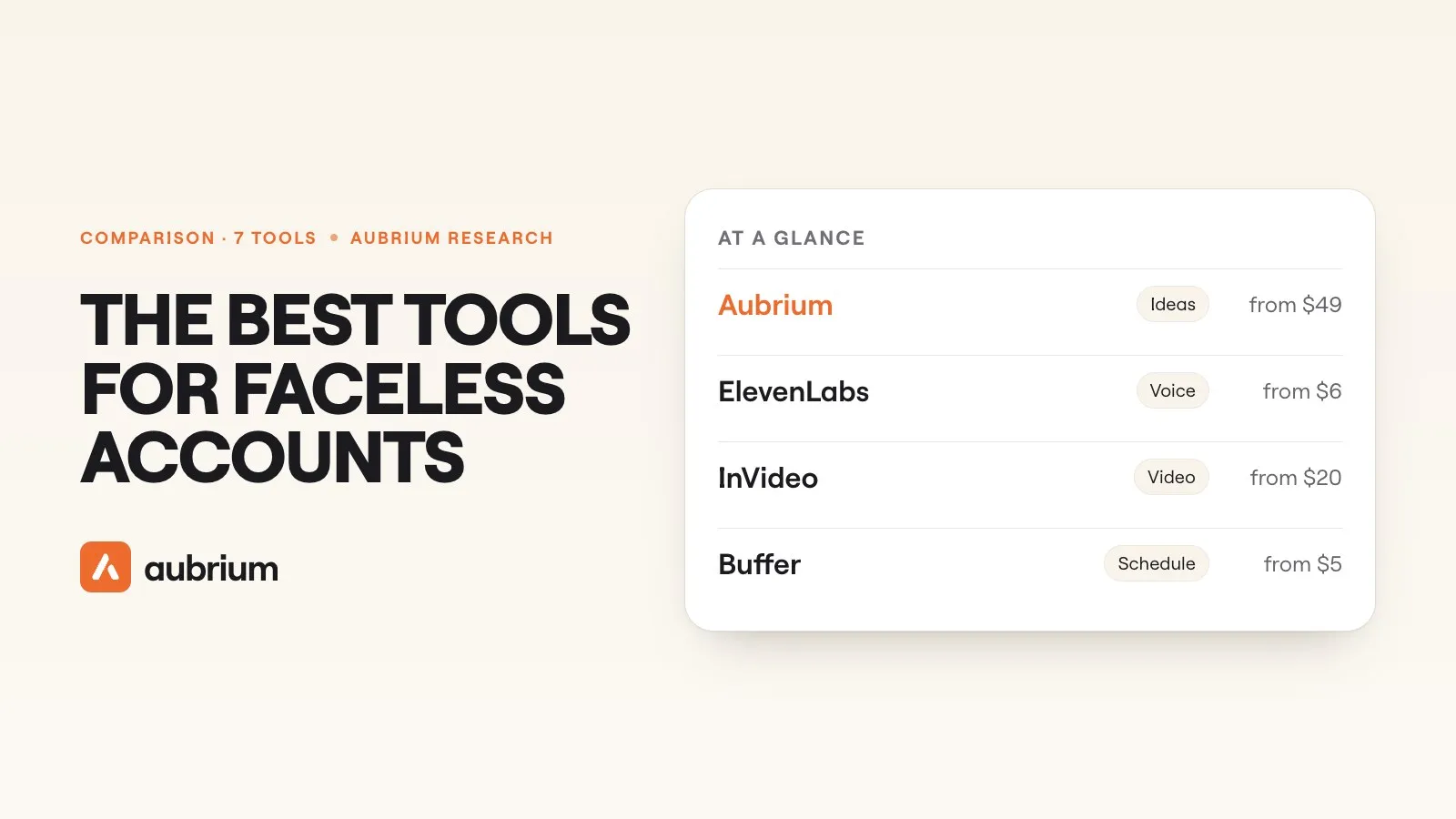
Of the viral reels in our library, 37% never show a face. That's more than one in three, from tutorials shot over a pair of hands to montages with a line of text on top.
So a faceless account isn't a workaround. It's a normal way to make reels that travel. What changes is the kit. With no one talking to camera, something else has to carry the reel: text on screen, a voiceover, footage you film of your hands or your desk, or clips an AI puts together.
That means a faceless account usually runs on several tools, one for each step. This guide sorts seven by the step they handle. We make one of them, Aubrium. We read the other six from their own sites on 12 November 2026, we link each page, and we didn't test them hands-on for this guide.
The best Instagram tools for a faceless account in 2026 cover five jobs. Aubrium finds faceless reels that already went viral in your niche and writes your version. CapCut edits, with captions and text to speech. ElevenLabs makes voiceovers. InVideo builds a video from a prompt. Canva designs carousels and covers. Buffer schedules, on a free plan.
What does a faceless account need tools for?
Five things, in the order you'd do them:
The idea
What the reel is about, and its hook. With no face to carry it, the idea does all the work.
The words
A script: what's on screen, what's said, shot by shot. Most faceless reels put the hook on screen as text.
The voice
A voiceover, if the reel has one. Your own, recorded off camera, or an AI voice.
The video or the slides
Footage you film without your face, stock clips, AI video, or a carousel.
The schedule
Posting on a rhythm you can keep up.
No single tool here does all five well. The all-in-one tools trade depth for speed. Most people end up with one tool for the idea, one editor, and a scheduler.
What does faceless content that works look like?
It's worth knowing before you buy anything, because it changes which tools you need. We checked what faceless content goes viral across our library. Three things stood out.
Aubrium's library, read 22 October 2026. Every reel here had already gone viral, so this describes what viral faceless reels have, not the odds for a new one.
About half of those faceless reels still show a person: hands at work, someone from behind. So "faceless" mostly means filmed footage with text on it. A good caption tool and a steady idea supply matter more than an AI that invents the whole video.
The 7 tools at a glance
| Tool | The job it does | Free plan? | Price from |
|---|---|---|---|
| 1. Aubrium | Ideas and scripts from faceless reels that went viral | No: No | $49/mo |
| 2. CapCut | Editing, captions, text to speech | Yes: Yes | Free plan |
| 3. ElevenLabs | AI voiceover | Yes: Yes, no commercial licence | $6/mo |
| 4. InVideo | A whole video from a prompt | Partly: Yes, with a weekly limit | $20/mo |
| 5. Canva | Carousels, covers and text slides | Yes: Yes | Free plan |
| 6. Predis.ai | Posts and ads from one prompt | No: 3-day trial, with a card | $19/mo, billed yearly |
| 7. Buffer | Scheduling | Yes: Yes | Free plan |
The 7 tools, one by one
1. Aubrium
Viral reel library, with a writerFrom $49/moBest for: Faceless ideas that already worked for accounts your size
Aubrium is a library of Instagram reels and posts that reached far more people than their creator has followers, all from accounts with 1,000 to 100,000 followers. You pick your niche and filter to reels with nobody on camera. Each one shows its hook, its caption, its sound and what's written on screen.
When one fits, Make my version writes yours. For a reel where nobody talks, the script is what to show and what goes on screen, shot by shot. It also writes carousels. It doesn't edit video, make a voice or post for you, so you'll still want an editor from this list.
- Pricing
- $49, $99 or $249 a month. Every plan has every tool.1
- Trial
- No free plan or trial. You can sign up with no card and see your niche's viral reels before you pick a plan. A first plan is refundable within 15 days.2
- Platforms
- A filter for reels with no one on camera
- Only accounts with 1,000 to 100,000 followers
- Scripts written shot by shot when nobody talks
- Doesn't edit, voice or schedule
- Instagram only for now
- No free plan or trial
2. CapCut
Video editorFreeBest for: Editing faceless reels, with captions and a voice
CapCut is the editor most faceless accounts end up in. Its site lists templates, captions you can "translate and style", and text to speech with "200+ AI voices". Its AI video maker starts "with a script or reference image".
There's a free plan. Pro adds premium templates and monthly AI credits. We can't give you a dollar price: its pricing page showed us local currency and says the figures are "for reference only" until you sign in.3
- Pricing
- A free plan; Pro priced by region3
- Platforms
- Any; exports for Reels, TikTok and Shorts
- Captions, voices and templates in one editor
- A free plan
- Features and prices vary by region
- You bring the idea
3. ElevenLabs
AI voice generatorFrom $6/moBest for: A voiceover that isn't yours
ElevenLabs makes voices. You paste a script and pick from a library of "17,500+ voices", clone your own, or "design one from a prompt". For a faceless account with a narrator, it's the specialist.
The free plan gives 10,000 credits a month. The catch for a monetised account: the Commercial License is listed from Starter up, not on Free. Starter is $1 for the first month, then $6.4
- Pricing
- A free plan; Starter $6 a month, Creator $22 a month4
- Platforms
- Any; it makes audio
- A very large voice library, and cloning
- A free plan to try
- The commercial licence starts on Starter
- Audio only: you still need an editor
4. InVideo
AI video generatorFrom $20/moBest for: A finished video from a prompt, with stock footage
InVideo turns text into video. You "write your script inside invideo, and ask an AI co-writer for help", and it adds footage, a voice and music. Its paid plans include premium stock footage, and everything it generates is paid for in credits. Editing on the timeline doesn't use credits.
A free plan exists, with a weekly limit; its site didn't give us the numbers. Starter is $20 a seat a month, or $10 billed yearly, for 400 credits, and unused credits "do not roll over".5
- Pricing
- A free plan; Starter $20 a seat a month, or $10 billed yearly5
- Platforms
- Any
- Script, footage and voice in one place
- No filming at all
- Credits don't roll over
- AI-built video isn't what most viral faceless reels are
5. Canva
Design toolFreeBest for: Carousels, covers and text slides
A lot of faceless accounts are carousels and text reels, and Canva is where those get made. It had more than 12,000 Instagram carousel templates on the day we looked, plus Magic Write for drafting text and Magic Design for starting a layout from a few words.
The free plan is real. Scheduling to Instagram is on paid plans and needs a Business account. For tools that write a whole carousel from a link, see our guide to AI carousel generators.6
- Pricing
- A free plan; Pro US$144 a year for one person6
- Platforms
- Any
- More than 12,000 carousel templates
- A free plan
- Scheduling is paid, with a Business account
- You bring the topic
6. Predis.ai
AI post and ad makerFrom $19/moBest for: Posts and ads from one prompt
Predis.ai is the nearest thing here to an all-in-one. Type a topic or paste a product page and it returns a carousel "with slide copy, a caption and hashtags", or a video with a voiceover, and it can post once your account is connected.
Its home page now leads with ads: "The AI Ad Generator". There's no free plan, only a 3-day trial that takes a card, and the entry plan lists "No Auto Posting".7
- Pricing
- Core from $19 a month, billed yearly ($230)7
- Platforms
- Instagram, Facebook, TikTok, LinkedIn, YouTube, Pinterest
- One prompt to a finished post
- Can post for you on higher plans
- No free plan
- Built for ads first
7. Buffer
SchedulerFreeBest for: Posting on a rhythm, without paying
Buffer schedules. Its free plan connects up to 3 channels, with 10 scheduled posts per channel at a time, and includes an AI assistant for rewording captions. It's the simplest way to keep a faceless account posting while you batch the making.
Automatic publishing needs an Instagram Business or Creator account; a personal account gets a reminder to post by hand. Buffer doesn't find ideas from other accounts or make the video.8
- Pricing
- A free plan; Essentials from $5 a channel a month, billed yearly8
- Platforms
- Instagram and most other networks
- A free plan for 3 channels
- Simple queue
- A professional account for auto-publishing
- A scheduler only
Which jobs does each tool cover?
The five jobs, and who does them
- Yes: The idea: Aubrium, from reels that already went viral. Predis.ai lists post ideas from a prompt
- Yes: The words: Aubrium writes a shot-by-shot script; InVideo and Predis.ai write from your prompt
- Yes: The voice: ElevenLabs is the specialist; CapCut and InVideo have text to speech built in
- Yes: The video or slides: CapCut for footage you film, InVideo for AI video, Canva for carousels
- Yes: The schedule: Buffer on a free plan; Predis.ai on its higher plans
Do you need AI video to run a faceless account?
No. It's the first thing people reach for, and the library says it's rarely what takes off. About half of viral faceless reels still show a person, such as hands at work, and most are tutorials, montages and stories made from filmed footage with text on screen.
That points to a cheap kit: a phone, CapCut's free plan for captions, and a good idea. AI video and AI voices are useful when you can't film at all. They're a choice, not the price of entry.
One more thing to know. Faceless isn't the same as reposted. Instagram stops recommending accounts that mostly post other people's work without real changes. Faceless is fine. Unoriginal isn't.
Which one is right for you?
| If you… | Pick |
|---|---|
| don't know what to post | Aubrium |
| film your hands or your screenand need captions | CapCut |
| want a narratorthat isn't you | ElevenLabs, then CapCut |
| can't film anything | InVideo |
| post carousels and quotes | Canva |
| want one toolto make and post | Predis.ai |
| have the postsand need a calendar | Buffer |
| want to spend nothing | CapCut, Canva and Buffer, on their free plans |
For the idea step on its own, our comparison of the tools that find viral reels goes deeper.
Questions people ask
What tools do I need for a faceless Instagram account?
One for each step: ideas, a script, a voice if you use one, an editor or a design tool, and a scheduler. A common free set is CapCut, Canva and Buffer. Aubrium adds ideas from faceless reels that already went viral in your niche.
Can a faceless account go viral on Instagram?
Yes. Of the viral reels in Aubrium's library, 37% never show a face. Those had all gone viral already, so that's a share of what took off, not the odds for any one post.
What's the best free tool for faceless reels?
CapCut's free plan covers editing, captions and text to speech. Canva's free plan covers carousels and covers, and Buffer's schedules up to 3 channels. ElevenLabs has a free plan too, without a commercial licence.
What's the best AI voice for faceless reels?
ElevenLabs is the specialist, with a large voice library and cloning; its commercial licence starts on the $6 Starter plan. CapCut and InVideo include text to speech if you'd rather stay in one tool.
How do I find ideas for a faceless account?
Look at faceless reels that already took off in your niche. In Aubrium you filter to reels with no one on camera, from accounts with 1,000 to 100,000 followers, and read each one's hook. Without a tool, search your niche on Instagram and note which faceless posts beat their account's usual views.
Do faceless reels need a voiceover?
No. In Aubrium's library, 58% of viral faceless reels show the hook as text on screen without saying it. Plenty run on text and music alone.
Can ChatGPT run a faceless Instagram account?
It can write scripts and captions. It can't see which reels went viral, edit video or post, unless you connect tools to it. Our guide to Instagram tools that work inside ChatGPT or Claude covers those.
How we did this
We read each tool's own site on 12 November 2026: its home page, its pricing page and its help pages, and we quote them where the wording matters. We didn't test CapCut, ElevenLabs, InVideo, Canva, Predis.ai or Buffer hands-on for this guide. Where a site didn't state something, such as CapCut's price in dollars or InVideo's free limits, we say so.
The list started from the tools ChatGPT names when you ask it this question. We left out Manychat, a tool for automatic DMs, because its site wouldn't load for us on the day, and we don't print what we can't read. Aubrium's numbers come from its own library, read on 22 October 2026. Prices change. If something here is out of date, tell us and we'll fix it and move the date. And yes, Aubrium makes this page.
Sources
- Aubrium pricingaubrium.com · Plans, accounts and Sparks. Read 12 November 2026.
- Can I get a refund?Aubrium Help Center · A first subscription refunded in full within 15 days. Read 12 November 2026.
- CapCut pricingcapcut.com · Free and Pro; prices shown in local currency, "for reference only". And its home page: captions; text to speech; AI video maker. Read 12 November 2026.
- ElevenLabs pricingelevenlabs.io · Free, Starter and Creator; the Commercial License from Starter. And its home page: the voice library. Read 12 November 2026.
- InVideo pricinginvideo.io · Starter, credits, stock footage. And its home page: the script writer. And plans and credits: what credits pay for, no roll-over. Read 12 November 2026.
- Canva pricingcanva.com · Free and Pro. And carousel templates; scheduling posts on Instagram. Read 12 November 2026.
- Predis.ai pricingpredis.ai · Plans, the 3-day trial, "No Auto Posting". And its carousel maker; its home page. Read 12 November 2026.
- Buffer pricingbuffer.com · The free plan, Essentials. And using Instagram with Buffer. Read 12 November 2026.
Changelog
- First version.
Read next
 Tools & Comparisons11 min readIs the Edits app enough to find reel ideas?Edits is Instagram's own editor, and its Inspiration tab is a real source of ideas. Here's what Meta says it shows, where it works, and what it leaves out.
 Tools & Comparisons15 min readThe best Viral Sonar alternatives for finding viral reelsViral Sonar brings you the reels taking off in one niche, once a day. Eight alternatives, ours included: which ones you can search, and which write the script too.
 Tools & Comparisons15 min readThe best Creadar alternatives for researching Instagram reelsCreadar watches the accounts you add, and it can't search for reels. Eight alternatives, ours included: which ones find reels from accounts you don't know yet.