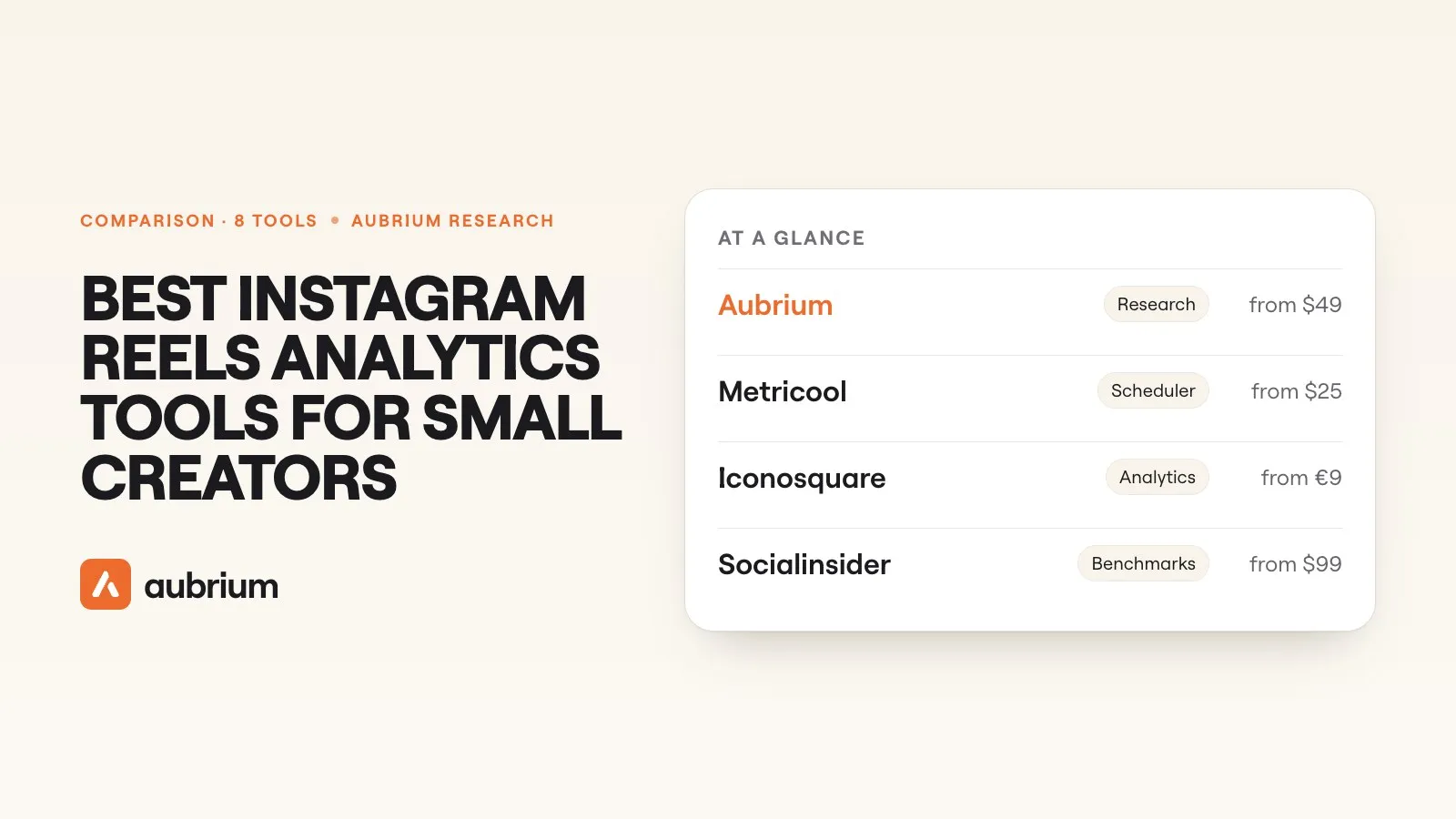
Best Instagram reels analytics tools for small creators
Eight reels analytics tools for a small account, compared: what Instagram Insights shows at no cost, what each paid tool adds, and what they cost today.
In September 2026, an account with 2,169 followers posted a reel. It opens, "I've been here 17 years. I have never seen an afternoon like this." The reel reached 823,531 views. That's 380 times the follower count of @thego….
Now think about that creator's stats the next morning. One huge number sits beside a row of ordinary ones. Was it the hook? The format? A view count on its own can't say.
That's the trouble with reels analytics when you're small. Most tools were built for brands and agencies, and they want reports. A small creator wants something simpler. Did this reel beat my usual? And how does it sit next to the reels taking off for accounts my size?
This guide compares eight tools on those two questions. We make Aubrium, and it's on this list, so read with that in mind. We read the other seven from their own sites on 16 November 2026, and we didn't test them hands-on.
The best reels analytics tool for a small creator is the one already in the app: Instagram Insights. It costs nothing and shows views, watch time and follows for every reel. Add Aubrium's Performance to see each reel against your own usual and your niche. Metricool and Buffer have free plans with scheduling. Iconosquare, Socialinsider and Later suit reports and teams.
What does a small creator need from reels analytics?
Three answers, and most tools only give the first.
How did this reel do?
Views, watch time, likes, follows. Instagram gives you these itself, at no cost.
How did it do against my usual?
The same view count is a hit for one account and a flop for another. You need your own baseline beside it.
How does it compare with my niche?
What the reels taking off for accounts like yours have that yours don't. This one needs other people's posts, so your own stats can't answer it.
A dashboard built for an agency adds other things: PDF reports, team seats, many networks in one place. Those are real jobs. They're just not yours yet.
So we sorted the eight tools by which of the three questions they answer. Our guide to analytics tools and research tools explains the split in more depth.
Is Instagram Insights enough for a small creator?
For the first question, yes. Here's how Instagram describes it:
“If you have a public account on Instagram, you can use free insights to learn more about overall trends across your followers and your content's performance with your audience.”
You don't need a business account for reels. Instagram's help page says you need "a public (personal or professional) account" to view a reel's insights.5 It lists five numbers for every reel.
| Metric | What Instagram says it counts |
|---|---|
| Views | The number of times your reel starts to play or replay |
| Watch time | The total time your reel was played, replays included |
| Viewers | The unique accounts that saw your reel on screen at least once |
| Average watch time | Watch time divided by the number of initial views |
| Follows | The accounts that started following you after viewing the reel |
Likes, comments, saves and shares sit under one more heading, interactions.4 You can look at any period in the past 90 days.6 And a reel's own insights stay up for two years after you post it.5
What Insights won't do is compare. It shows your reels one at a time, and it knows nothing about anyone else's. Instagram's Edits app goes one step further: its own blog says you can now compare up to 3 of your reels side by side.7 That's still your reels against your reels.
The 8 tools at a glance
| Tool | What it is | Free plan? | Price from |
|---|---|---|---|
| 1. Instagram Insights | Instagram's own numbers for your reels | Yes: Yes, it costs nothing | $0 |
| 2. Aubrium | Your reels against your usual and your niche | No: No | $49/mo |
| 3. Metricool | Scheduler with analytics | Yes: Yes | $25/mo |
| 4. Buffer | Scheduler with analytics | Yes: Yes | $5 a channel/mo, billed yearly |
| 5. Later | Planner and scheduler with reels analytics | No: A 14-day trial | $25/mo |
| 6. Iconosquare | Analytics dashboard | Yes: Yes | €9/mo, billed yearly |
| 7. Socialinsider | Competitor benchmarking | No: A 14-day trial | $99/mo |
| 8. HypeAuditor | Influencer marketing platform | Partly: Some tools at no cost | Not published |
Prices are from each tool's own site, read on 16 November 2026. Iconosquare's page showed us euros, and it sets its prices by region.11
Why isn't a view count enough on its own?
Because what counts as a big number depends on the size of the account. Our library shows how wide that gap is.
Aubrium's library holds more than 270,000 viral reels, all from accounts with 1,000 to 100,000 followers. Each one reached far more people than its creator has followers. Here's the middle reel's view count, by the size of the account that posted it.
The raw views climb with the account. Turn them into a multiple of followers and the order flips.
Aubrium's library, 16 November 2026.
So one number means two different things on two accounts. A tool that only prints views leaves you to do that sum in your head. The useful ones do it for you, against your own usual. We go through the same idea for other people's reels in our guide on how to find outlier reels.
The 8 tools, one by one
1. Instagram Insights
Instagram's own analyticsFrom $0Best for: Your own reel numbers, at no cost
Start here. Insights is inside the app, it needs no sign-up, and its numbers come from Instagram itself. For each reel you get views, watch time, viewers, average watch time and follows.5
It covers any period in the past 90 days, and each reel keeps its insights for two years.5, 6 In the Edits app you can see the last 60 days and set up to 3 reels side by side.7 It won't show you another account, and it won't tell you what to post next.
- Pricing
- Nothing. Instagram calls them "free insights"4
- Needs
- A public account, personal or professional5
- History
- Any period in the past 90 days6
- Watch time and viewers, straight from Instagram
- Works on a personal account
- Nothing about other accounts
- No baseline: you compare reels by eye
2. Aubrium
Reel research, with PerformanceFrom $49/moBest for: Each reel against your own usual and your niche
Aubrium is our tool. Its Performance page puts every reel next to your usual views, then shows what your best ones did that your worst ones didn't. Each week it scores your account out of 100, from how often you post and how closely your last 12 reels follow what the viral reels in your niche and region do.3
It reads your public profile, so there's nothing to connect and no Instagram password to hand over. That's also its limit. It can't see reach, saves or audience data, so it sits beside Insights and doesn't replace it. And each rule in the score needs 6 of your reels before it counts.3
- Pricing
- $49, $99 or $249 a month, for 2, 5 or 10 Instagram accounts.1
- Trial
- No free plan or trial. You can sign up with no card and see your niche's viral reels before you pick a plan. A first plan is refundable within 15 days.2
- Platforms
- Every reel beside your usual views
- A library of viral reels from accounts with 1,000 to 100,000 followers
- Can't see reach, saves or audience data
- Doesn't schedule or post
- Instagram only for now
- No free plan or trial
3. Metricool
Scheduler with analyticsFrom $25/moBest for: A free plan that plans, posts and measures
Metricool is a scheduler first, and a good one. Its free plan is the strongest here for a small creator: one brand, 30 days of analytics, 20 scheduled posts a month and 5 competitor profiles to watch. Its site says you can use it "for free, forever".8
Starter is from $25 a month, or $20 billed yearly, before VAT, and it raises the competitor limit to 100. One gap in what we could read: its Instagram page doesn't name which reel metrics it shows. We compare the two tools in Aubrium vs Metricool.
- Pricing
- A free plan; Starter from $25 a month, or $20 billed yearly, before VAT8
- History
- 30 days on the free plan8
- Platforms
- Instagram and most other networks
- A free plan with no end date
- Scheduling and stats in one place
- Reel metrics aren't named on the pages we read
- You sort and judge; nothing is set against your usual
4. Buffer
Scheduler with analyticsFrom $5 a channel/moBest for: The simplest free way to post and check stats
Buffer is the plainest tool on this list, and that's its strength. The free plan connects up to 3 channels, with 10 scheduled posts per channel at a time and 30 days of insights history. Paid plans keep 2 years.9
It has no competitor tracking. What it offers in its place is a benchmark: its site says you can see how your content compares "to over 250,000 other creators on Instagram". Like Metricool, its pages don't name the reel metrics it shows.9
- Pricing
- A free plan; Essentials $5 a channel a month, billed yearly ($60)9
- Trial
- 14 days on paid plans9
- History
- 30 days on Free; 2 years on paid plans9
- A free plan for 3 channels
- Cheap to upgrade for one account
- No competitor tracking
- Reel metrics aren't named on the pages we read
5. Later
Planner and schedulerFrom $25/moBest for: Reels analytics beside a visual calendar
Later is known for planning a feed, and it does name reels. Its site says you can use its Analytics tool "to measure, track, and optimize your Reels performance". That part works for business and creator profiles, on desktop.10
There's a 14-day trial with no card, and we found no free plan on its pricing page. Starter keeps up to 3 months of analytics. A year of history starts on Growth, at $50 a month, and competitor tracking is on Scale only.10
- Pricing
- $25, $50 or $110 a month; $18.75, $37.50 or $82.50 billed yearly10
- Trial
- 14 days, no card10
- History
- 3 months on Starter; 1 year on Growth; 2 years on Scale10
- Names reels analytics outright
- Planning and stats in one tool
- No free plan on its pricing page
- Needs a business or creator profile
6. Iconosquare
Analytics dashboardFrom €9/moBest for: Longer history and reports on your own accounts
Iconosquare calls itself "analytics-first", and it's the dashboard on this list most focused on your own numbers. It has a free plan: up to 2 social profiles and 1 month of analytics history.11
Starter is from €9 a month, billed yearly, with a year of history. Competitors sit on Scale, from €69 a month, billed yearly. Its page showed us euros and no monthly-billed prices. The pages we read don't name reels analytics, so check that in its 14-day trial.11
- Pricing
- A free plan; Starter from €9 a month, billed yearly. Prices vary by region.11
- Trial
- 14 days, no card11
- History
- 1 month on Free; 1 year on Starter; 2 years on Scale11
- A free plan for 2 profiles
- Built around analytics and reports
- Competitors only on Scale
- Reels analytics aren't named on the pages we read
7. Socialinsider
Competitor benchmarkingFrom $99/moBest for: Reports that set your account beside rivals
Socialinsider is built for comparing accounts. Its site says you can add any public Instagram profile and compare it directly to yours, on every plan. It also counts reels views, and defines them as the number of times your reels were watched, repeat views included.12
The price tells you who it's for. Adapt is $99 a month, or $82 billed yearly, with 20 social accounts, 3 months of history and one seat. There's a 14-day trial with no card, and it doesn't schedule posts.12
- Pricing
- $99, $149 or $239 a month; from $82 billed yearly12
- Trial
- 14 days, no card12
- History
- 3 months on Adapt; 6 on Optimize; 12 on Predict12
- Competitor benchmarking on every plan
- Reels views are named and defined
- No free plan on its pricing page
- Priced for agencies and brands
8. HypeAuditor
Influencer marketing platformFrom Not publishedBest for: Seeing your account the way a brand would
HypeAuditor is on this list because people name it when they ask about Instagram analytics. It's a different kind of tool. Brands use it to find and vet creators, and its site says audience-quality and fraud checks come with every profile.13
For a creator, the useful part is small: its site lists an Instagram audit tool and an engagement rate calculator among its free tools. The full platform has no published price. Its pricing page offers a demo.13
- Pricing
- No published price; the pricing page is a demo request13
- Free tools
- An Instagram audit tool and an engagement rate calculator13
- Platforms
- Instagram, TikTok, YouTube and more
- Shows what a brand checks before a deal
- Built for brands, with no public price
- No scheduling, and no reel-by-reel view of your own account
How much history does each tool keep?
It depends on the plan, and the free plans are short. This matters more than it sounds. If you post a couple of times a week, 30 days is only a handful of reels to judge from.
| Tool | On its free plan | On paid plans |
|---|---|---|
| Instagram Insights | Any period in the past 90 days; each reel for two years | No paid plan |
| Aubrium | No free plan | The weekly score reads your last 12 reels |
| Metricool | 30 days | Not stated on the pages we read |
| Buffer | 30 days | 2 years |
| Later | No free plan | 3 months, 1 year or 2 years, by plan |
| Iconosquare | 1 month | 1 year on Starter; 2 years on Scale |
| Socialinsider | No free plan | 3, 6 or 12 months, by plan |
| HypeAuditor | Not published | Not published |
Notice the first row. Instagram's own 90 days is longer than the 30 days on the free plans under it.
Which one is right for you?
Pick by the question you can't answer today.
| If you… | Pick |
|---|---|
| want your reel numbersand nothing else | Instagram Insights |
| want each reel set against your usual, and your niche | Aubrium, beside Insights |
| want to schedule and see statswithout paying | Metricool or Buffer, on their free plans |
| plan a feedand want reels analytics with it | Later |
| need more than 90 daysof history, or reports | Iconosquare |
| report to clientswith rivals side by side | Socialinsider |
| pitch brandsand want to see what they see | HypeAuditor's audit tool |
Most small creators need two lines from that table: Insights, and one tool that answers "compared with what?". Paid dashboards come later, when you report to someone or run several networks.
If you're newer than that, our list of tools for creators who are just starting out is shorter still. If you came from YouTube and miss its research tools, see tools like vidIQ for Instagram. And if rivals are the real question, we compare tools that analyze a competitor's reels on their own page.
Questions people ask
What is the best free Instagram reels analytics tool?
Instagram Insights. It's built into the app, it works on any public account, and it shows views, watch time, viewers, average watch time and follows for each reel. Metricool and Buffer also have free plans, with 30 days of history.
Does Instagram Insights show analytics for reels?
Yes. Instagram's help page lists five insights for a reel: views, watch time, viewers, average watch time and follows. Likes, comments, saves and shares are counted as interactions.
How far back do Instagram Insights go?
You can view insights for any period within the past 90 days. A single reel's insights stay available for up to two years after you post it.
Do I need a business account to see reel insights?
No. Instagram says you need a public account, and that can be personal or professional. Some outside tools do need a business or creator profile; Later's reels analytics is one.
Is Metricool free for Instagram analytics?
Yes, on its free plan. That covers one brand, 30 days of analytics, 20 scheduled posts a month and 5 competitor profiles. Starter is from $25 a month, or $20 billed yearly, before VAT.
What's a good view count for a small account's reel?
There isn't one number. Compare each reel with your own usual first. In Aubrium's library, the middle viral reel from accounts under 2,000 followers has 134,138 views, but every reel there had already taken off, so that isn't a target.
Can Aubrium replace Instagram Insights?
No. Aubrium reads your public profile, so it can't see reach, saves or audience data. Use Insights for those, and Aubrium to set each reel against your usual views and your niche.
How we did this
We read each tool's own site on 16 November 2026: its pricing page, its home page and its help or feature pages. We didn't test Instagram Insights, Metricool, Buffer, Later, Iconosquare, Socialinsider or HypeAuditor hands-on for this guide. What we say about them comes from their own pages, and we link each one.
Where a page didn't state something, we say so. That includes which reel metrics Metricool, Buffer and Iconosquare show, HypeAuditor's prices, and Iconosquare's monthly-billed prices. Instagram's help pages list the five reel insights we name; we left out any metric those pages don't define.
The list started from the tools people are pointed to for this question. Aubrium's library numbers come from its own database, read on 16 November 2026. Apps change; if something here is out of date, tell us and we'll fix it and move the date. And yes, Aubrium makes this page.
Sources
- Aubrium pricingaubrium.com · Plans, accounts and prices. Read 16 November 2026.
- Can I get a refund?Aubrium Help Center · A first subscription refunded in full within 15 days. And looking round before a plan. Read 16 November 2026.
- Performanceaubrium.com · Every reel next to your usual views, the weekly score, the public profile. Read 16 November 2026.
- About Instagram insightsInstagram Help Center · Who gets insights, at no cost; interactions. Read 16 November 2026.
- View insights on your Instagram reelsInstagram Help Center · The five reel insights, the account needed, two years of availability. Read 16 November 2026.
- Insights for any period in the past 90 daysInstagram Help Center · The time window. Read 16 November 2026.
- Video insights in EditsEdits blog · Comparing up to 3 reels, 19 August 2026. And insights of your published reels on Edits: the last 60 days. Read 16 November 2026.
- Metricool pricingmetricool.com · The free plan, Starter, competitor limits. And Instagram with Metricool. Read 16 November 2026.
- Buffer pricingbuffer.com · The free plan, Essentials, insights history, the trial. And Buffer Analyze: the creator benchmark. Read 16 November 2026.
- Later pricinglater.com · Plans, the trial, analytics history. And Instagram analytics: reels analytics. Read 16 November 2026.
- Iconosquare plans and pricingiconosquare.com · The free plan, Starter, Scale, history, the trial. And its home page. Read 16 November 2026.
- Socialinsider pricingsocialinsider.io · Plans, history, seats, the trial. And Instagram analytics: public profiles, reels views. Read 16 November 2026.
- HypeAuditor pricinghypeauditor.com · No published prices, the demo. And its home page: what it is, the free tools. Read 16 November 2026.
Changelog
- First version.
Read next
 Tools & Comparisons19 min readThe best Instagram content idea tools for small accounts (2026)Most content idea tools are built around big creators. Our team tested eight hands-on and asked one question first: will it show you posts from accounts your size?
 Tools & Comparisons14 min readBest apps for Instagram content ideas in 2026Ideas come from four places: searches, other platforms, an AI draft, and posts that already took off on Instagram. Ten apps, sorted by which one they give you.
 Tools & Comparisons14 min readBest tools to turn a viral reel into your own versionRemaking a viral reel is two jobs: rewrite the idea as your own script, then make the video. Nine tools sorted by job, with prices and our blind script test.