Best Instagram content tools for small businesses
A small business needs a tool for four jobs: knowing what to post, making it, scheduling it and answering DMs. Nine compared by job, with today's prices.
"We are a 34-year-old factory." That's the whole hook on a reel from @meier…, an account with 6,717 followers. It's a tour, posted in July 2026, and it has 3,697,393 views. That's 550 times the account's followers.
The line is five words long. Nothing in it is clever. It says what the place is, and people watched.
Most owners aren't short of apps. They're short of time, and of something worth posting on a Tuesday. So this guide sorts nine tools by the job each one does, for someone with an hour a week to give Instagram. It sits under our wider comparison of the tools that find viral reels.
We make Aubrium, and it's on this list, so read with that in mind. We read the other eight from their own sites on 16 November 2026, and we didn't test them hands-on for this guide.
The best Instagram content tools for a small business cover four jobs. Aubrium shows which reels took off for businesses your size and writes your version. Canva and CapCut make the post. Meta Business Suite schedules it at no cost, and Buffer, Later or Metricool add more. Manychat answers DMs. Aubrium does only the first job.
What does a small business need Instagram tools for?
Four jobs, in the order you'd do them. Lists of tools often skip the first one.
Know what to post
The idea and its opening line. This is the job that eats the hour, and the one a scheduler can't do for you.
Make it
A reel cut on your phone, or a carousel with your prices and photos on it.
Schedule it
Line up the week in one sitting, so the shop doesn't go quiet when you're busy.
Answer the DMs
Reply to "how much?" and "are you open Sunday?" without living in the inbox.
You don't need a paid tool for every job. Three of the four have a good tool that costs nothing. The first one is where the choice matters, because a well-made post about the wrong thing still goes nowhere.
What do small business reels that take off look like?
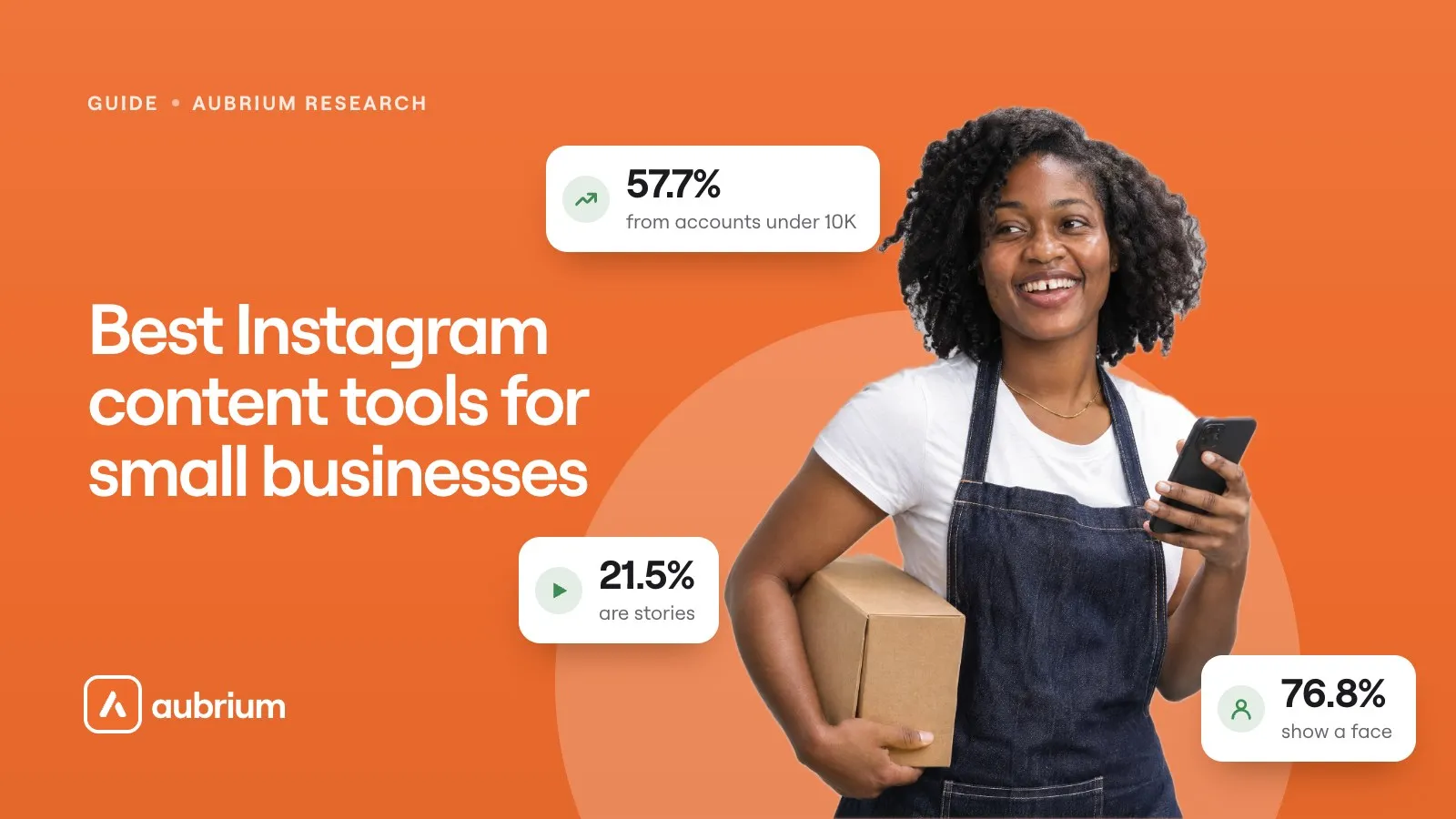
They look like a person in a shop with a phone. We keep a page on what works for small businesses on Instagram, built from our own library. Here's the short version.
Aubrium's library of more than 2,100 viral small business reels, read 12 November 2026. Every reel here had already taken off, so this describes those reels, not the odds for a new one.
In that same read, 51.2% looked filmed on a phone, with no polish. And 20.5% were funny.
The opening lines are plain too. In our look at hooks on small business reels, read 22 October 2026, the relatable line was the most common hook, at 18%. 76% put the hook on screen as text, and half ran 11 words or fewer.
So the kit can be small. A phone, a way to put text on a clip, and a steady supply of ideas that fit a business your size. When we sorted small business reel ideas on 3 November 2026, customer and staff skits were the most common one.
The 9 tools at a glance
| Tool | The job it does | Free plan? | Price from |
|---|---|---|---|
| 1. Aubrium | Know what to post: reels that took off, and your version | No: No | $49/mo |
| 2. Canva | Make it: carousels, covers, simple reels | Yes: Yes | Free plan |
| 3. CapCut | Make it: edit reels, add captions | Yes: Yes | Free plan |
| 4. Meta Business Suite | Schedule it, on Instagram and Facebook | Yes: It's free to use | Free |
| 5. Buffer | Schedule it, on most networks | Yes: Yes | Free plan |
| 6. Later | Schedule it, with a visual plan | No: 14-day trial | $25/mo |
| 7. Metricool | Schedule it and measure it | Yes: Yes | Free plan |
| 8. Manychat | Answer DMs and comments | Yes: Yes | Free plan |
| 9. ChatGPT | Draft captions and a first list of topics | Yes: Yes | Free plan |
The 9 tools, one by one
1. Aubrium
Viral reel library, with a writerFrom $49/moBest for: Knowing what to post, from businesses your size
Aubrium is a library of Instagram reels and posts that reached far more people than their creator has followers. Every account in it has 1,000 to 100,000 followers, so you see what worked for a bakery or a salon, not a national chain. It holds more than 290,000 posts today.
You pick your niche and your country. Each reel shows its hook, its caption and its sound. When one fits, Make my version writes your hooks, your script and a caption to post it with. It also shows each of your own reels next to your usual views, from your public profile, with nothing to connect.
It stops there. It doesn't edit video, schedule a post or answer a DM. You film it and post it yourself, so you'll want an editor and a scheduler from this list.
- Pricing
- $49, $99 or $249 a month, for 2, 5 or 10 Instagram accounts.1
- Trial
- No free plan or trial. You can sign up with no card and see your niche's viral reels before you pick a plan. A first plan is refundable within 15 days.2
- Platforms
- Only accounts with 1,000 to 100,000 followers
- Filters for niche and country
- Writes the hook, script and caption from a reel that took off
- Doesn't edit, schedule or answer DMs
- Instagram only for now
- No free plan or trial
2. Canva
Design toolFreeBest for: Carousels, covers and menu-style posts
Canva is where a lot of small business posts get made, and for good reason. Its Instagram page covers carousels, feed posts, Reels and Stories from "ready-made templates, AI helpers, and drag-and-drop tools". Magic Write drafts short text such as captions and product descriptions.
The free plan costs US$0. Pro is US$144 a year for one person, or US$18 month-to-month, with a 30-day trial. Scheduling is a Pro feature, through its Content Planner. It doesn't show you other accounts' posts, so the topic is still yours to find.3
- Pricing
- A free plan; Pro US$144 a year for one person3
- Trial
- 30 days of Pro
- Platforms
- Any
- Templates for every Instagram format
- A free plan
- Scheduling is on Pro
- You bring the topic
3. CapCut
Video editorFreeBest for: Cutting a reel on your phone, with captions
CapCut is a full video editor with Auto Captions and a page of trending templates, sorted into groups that include Business and Industry. Its free plan lets you "Start for free with the basics you need to create."
New users can start a 7-day trial of Pro with no card, though CapCut says that varies by region. We can't give you a dollar price. Its pricing page showed us local currency and says the figures are "for reference only" until you sign in. We found no scheduling on the pages we read.4
- Pricing
- A free plan; Pro priced by region4
- Trial
- 7 days of Pro for new users
- Platforms
- Phone, tablet, desktop and web
- Captions and templates in one editor
- A free plan
- No US price on its page
- You bring the idea
4. Meta Business Suite
Meta's own schedulerFreeBest for: Scheduling to Instagram and Facebook at no cost
This is the one to start with. Meta says it's "free to use on desktop and in the Meta Business Suite mobile app". You can "schedule, publish and manage posts, stories, reels and more", and see the week in a calendar view.
It covers Facebook and Instagram and nothing else. The help page we read is about planning and publishing. It lists nothing for seeing what took off for other businesses.5
- Pricing
- Free to use5
- Platforms
- Instagram and Facebook
- Free, from Meta itself
- Posts, stories and reels on a calendar
- Two networks only
- Doesn't tell you what to post
5. Buffer
SchedulerFreeBest for: A simple queue across several networks
Buffer is the plainest scheduler here, and that's its strength. The free plan connects up to 3 channels, with 10 scheduled posts per channel. It can set "posts, stories, and reels to auto-publish". An AI assistant helps you reword a caption, though Buffer says of itself, "Buffer is not an AI tool."
Essentials is $5 a month for one channel, billed yearly at $60. Its page didn't show us a month-to-month price. Paid plans have a 14-day trial. It doesn't find other accounts' posts or track competitors.6
- Pricing
- A free plan; Essentials $5 a channel a month, billed yearly6
- Trial
- 14 days on paid plans
- Platforms
- Instagram and 11 other networks
- A free plan for 3 channels
- Priced per channel, so one shop pays little
- No competitor tracking
- A scheduler only
6. Later
Scheduler with a visual plannerFrom $25/moBest for: Planning how the grid will look
Later is built round planning by eye. Every plan lets you collect and repost media from Instagram hashtags and from business and creator profiles. Starter gives one user 30 posts per profile, with 5 AI credits a month for captions.
Its pricing page lists no free plan, but there is a 14-day trial with no card. Starter is $25 a month, or $18.75 billed yearly. Tracking competitors, for up to 20 accounts, is on the top plan only.7
- Pricing
- $25, $50 or $110 a month; $18.75, $37.50 or $82.50 billed yearly7
- Trial
- 14 days, no card
- Platforms
- Instagram, Facebook, TikTok and five more
- A visual plan of the feed
- A trial without a card
- No free plan on its pricing page
- 30 posts per profile on Starter
7. Metricool
Scheduler with analyticsFreeBest for: Scheduling and numbers in one place
Metricool is a scheduler first, and a good one. Its site says, "You can use Metricool for free, forever." That plan manages one brand, schedules up to 20 posts a month and analyses 5 competitor profiles, with 30 days of analytics.
Starter is from $25 a month, or $20 billed yearly, before VAT, and analyses up to 100 competitors. It isn't built to find viral reels, and that's the difference between Aubrium and Metricool. For Instagram, you can only add professional accounts as competitors.8
- Pricing
- A free plan; Starter from $25 a month, or $20 billed yearly, before VAT8
- Platforms
- Instagram and most other networks
- A free plan that never ends
- Scheduling and analytics together
- 20 posts a month on the free plan
- Shows numbers; you judge what took off
8. Manychat
DM automationFreeBest for: Replying to comments and DMs for you
Manychat does one job none of the others do. It can "Auto-DM people from comments and capture email or phone number", and it describes itself as "an Official Meta Business Partner". For a shop that gets the same three questions all day, that's real time back.
The free plan covers 25 active contacts and up to 4 live triggers. The next plan, Essential, covers 250 contacts. A caution on price: Manychat's site wouldn't load for us on 16 November 2026, so these facts come from the Internet Archive, a service that saves dated copies of web pages. Its copy of the pricing page shows a dollar sign with no currency named, so we don't print a US price. It makes no posts and schedules none.9
- Pricing
- A free plan for 25 active contacts; paid plans by contact count9
- Trial
- 14 days of Essential or Pro
- Platforms
- Instagram, TikTok, Messenger, WhatsApp and more
- Comment-to-DM automation
- A free plan with no card
- No US price we could confirm
- Doesn't make or schedule posts
9. ChatGPT
General AI assistantFreeBest for: A first draft of a caption or a topic list
ChatGPT is a general assistant, and a handy one for words. It can search the web on every plan, the free one included. Plus is "$20/month (billed monthly)".
We didn't test ChatGPT for this page. It's a general assistant, not a reel finder, and OpenAI's help pages refused our reads on 16 November 2026, so each fact here comes from the Internet Archive's saved copies. Our comparison of Aubrium and ChatGPT for reel ideas covers what each is good for.10
- Pricing
- A free plan; Plus $20 a month10
- Platforms
- Not tied to a network
- Drafts of captions and lists from a prompt
- A free plan with web search
- Not built to find reels
- Doesn't make the video or post it
What's the smallest kit that works?
One tool per job, and three of them at no cost. If you're starting from nothing, this is the order we'd add them in.
A four-job kit for one owner
- Yes: Know what to post: Aubrium, for reels that took off in your niche and country
- Yes: Make it: CapCut for reels, Canva for carousels, both on their free plans
- Yes: Schedule it: Meta Business Suite, which is free to use
- Yes: Answer DMs: Manychat's free plan, once the questions start to repeat
- No: Skip for now: a paid scheduler and paid analytics, until you post often enough to need them
The paid schedulers earn their place when you post to more than Instagram and Facebook, or when two people share the work. Until then, Meta's own tool does the job.
A different kind of account needs a different kit. Our guides to growth tools for creators and tools for coaches who need content ideas sort the same field for them.
Which one is right for you?
| If you… | Pick |
|---|---|
| don't know what to post | Aubrium |
| post offers, menus and price lists | Canva |
| film behind the counterand need captions | CapCut |
| only use Instagram and Facebook | Meta Business Suite |
| post to several networkson a small budget | Buffer |
| care how the grid looks | Later |
| want numbers and a schedulertogether | Metricool |
| answer the same DMsevery day | Manychat |
| need a caption in a hurry | ChatGPT |
| want to spend nothing | Canva, CapCut, Meta Business Suite and Manychat, on their free plans |
One honest note on our own tool. Aubrium's entry price is higher than any other we could confirm here, and it does one job. If you already know what your customers stop to watch, you may not need it. If the blank page is what costs you the hour, it's the only tool on this list built for that.
Questions people ask
What tools does a small business need for Instagram?
One for each of four jobs: knowing what to post, making it, scheduling it and answering DMs. A common no-cost set is Canva, CapCut and Meta Business Suite. Aubrium adds the first job: reels that took off for businesses your size.
What's the best free Instagram tool for a small business?
Meta Business Suite, for scheduling. Meta says it's free to use on desktop and in its mobile app, and it schedules posts, stories and reels to Instagram and Facebook. Canva and CapCut have free plans for making the post.
Do I need a paid scheduler?
Not at first. Meta Business Suite schedules to Instagram and Facebook at no cost, and Buffer's free plan connects up to 3 channels. A paid plan makes sense once you post to more networks or share the work.
What should a small business post on Instagram?
Start from what already took off for businesses like yours. In Aubrium's library, read 12 November 2026, 21.5% of viral small business reels were stories and 76.8% showed a face. Those reels had all taken off already, so that's a description, not a forecast.
Can ChatGPT plan my Instagram content?
It can draft captions and a list of topics, and it can search the web on every plan. It's a general assistant, not a reel finder. We didn't test it for this page.
Does Aubrium schedule posts?
No. It finds reels that took off and writes your version. You film it and post it yourself, or schedule it with one of the tools above.
Is Canva or CapCut better for a small business?
They do different things. Canva suits carousels, covers and posts with prices on them. CapCut suits reels you film yourself, with captions. Both have a free plan, so most owners use both.
How we did this
We read each tool's own site on 16 November 2026: its home page, its pricing page and its help pages, and we quote them where the wording matters. Canva, CapCut, Meta Business Suite, Buffer, Later, Metricool, Manychat and ChatGPT weren't tested hands-on: what we say about them comes from their own sites.
Two sites wouldn't load for us. Manychat's facts come from Internet Archive copies of 29 October and 1 November 2026, and ChatGPT's from Internet Archive copies of OpenAI's pages. Where a site didn't state something, such as CapCut's price in dollars, we say so.
Aubrium's small business numbers come from its own database, read on the date beside each one: 22 October, 3 November and 12 November 2026. Its library count was read on 16 November 2026. Apps change; if something here is out of date, tell us and we'll fix it and move the date. And yes, Aubrium makes this page.
Sources
- Aubrium pricingaubrium.com · Plans, accounts and Sparks. Read 16 November 2026.
- Can I get a refund?Aubrium Help Center · A first subscription refunded in full within 15 days. And what Aubrium covers: Instagram only. Read 16 November 2026.
- Canva pricingcanva.com · Free and Pro. And Canva for Instagram; Content Planner; Magic Write; Canva Pro vs Canva Enterprise: the month-to-month price and the trial. Read 16 November 2026.
- CapCut pricingcapcut.com · Free and Pro; prices shown in local currency, "for reference only"; the 7-day trial. And its templates; its home page. Read 16 November 2026.
- How Meta Business Suite worksMeta Business Help Center · Free to use; scheduling posts, stories and reels; the calendar view. Read 16 November 2026.
- Buffer pricingbuffer.com · The free plan, Essentials, the trial. And its Instagram page; its AI assistant. Read 16 November 2026.
- Later pricinglater.com · Plans, limits, the 14-day trial. And competitor analysis. Read 16 November 2026.
- Metricool pricingmetricool.com · The free plan, Starter, competitor limits. Read 16 November 2026.
- Manychat pricing, archived 29 October 2026Internet Archive copy of manychat.com · Plans, contacts, the trial. And its home page, archived 1 November 2026. Read 16 November 2026.
- What is ChatGPT Plus?, archived 12 November 2026Internet Archive copy of OpenAI's Help Center · The Plus price. And ChatGPT search, archived 30 October 2026: web search on every plan. Read 16 November 2026.
Changelog
- First version.
Read next
 Tools & Comparisons13 min readBest tools for UGC creators to find viral content ideasA UGC creator needs two kinds of reference: the ads brands run, and the organic reels that take off on their own. Eight tools, sorted by which one they show you.
 Tools & Comparisons13 min readBest Instagram tools for creators who are just starting outA new creator needs few tools, and most cost nothing. Eight compared by job, with what to use from day one, what to pay for, and what to skip until later.
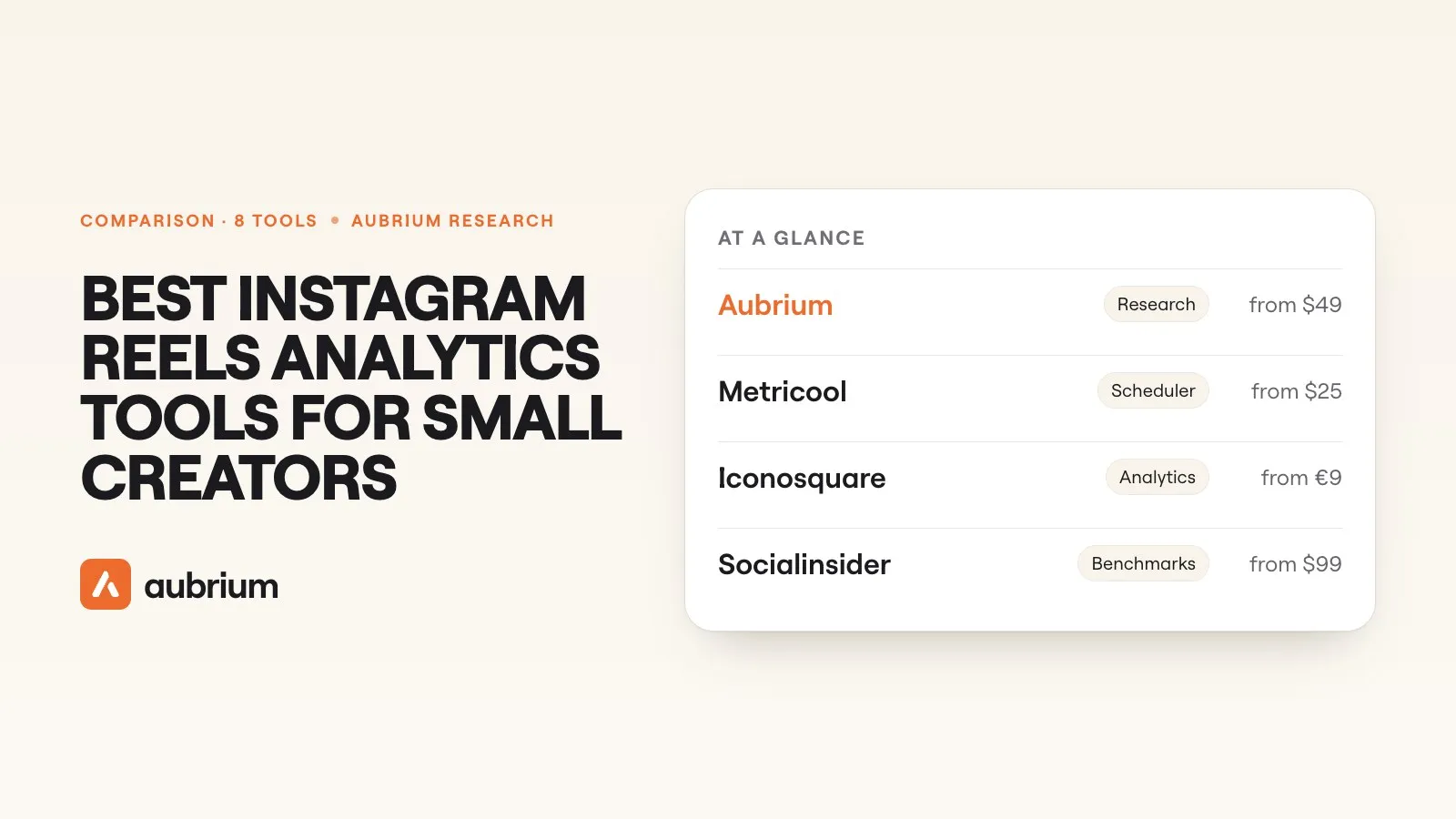 Tools & Comparisons14 min readBest Instagram reels analytics tools for small creatorsEight reels analytics tools for a small account, compared: what Instagram Insights shows at no cost, what each paid tool adds, and what they cost today.