Best Instagram tools for creators who are just starting out
A new creator needs few tools, and most cost nothing. Eight compared by job, with what to use from day one, what to pay for, and what to skip until later.
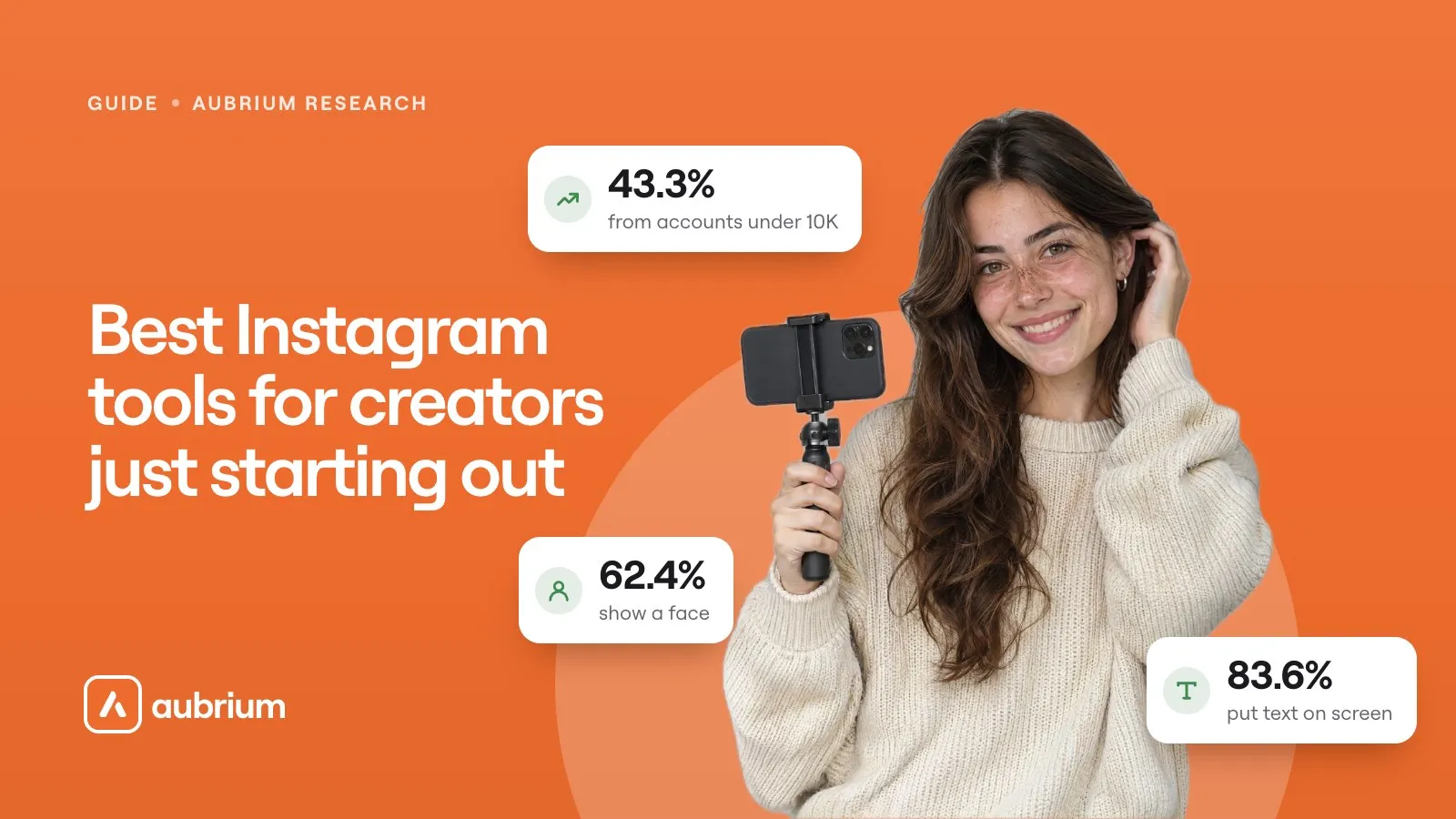
In September 2026, an account with 1,678 followers posted a skit. It opens on the line "Forgot My Paddle At Home". The reel reached 4,913,895 views. That's 2,928 times the follower count of @fersh….
We open with it because of the size of the account. That reach didn't wait for a big audience.
New creators often get this backwards. They read a long list of tools, sign up for half of it, and spend the first month setting up software. The tools that matter early are few, and most of them cost nothing. One job is harder to do alone: seeing which reels are taking off for accounts as small as yours.
This guide sorts eight tools by job, and says which to skip for now. We make Aubrium, and it's on this list, so read with that in mind. We read the other seven from their own sites on 16 November 2026, and we didn't test them hands-on.
A creator who's just starting needs few Instagram tools, and most cost nothing. Use Edits or CapCut to edit, Canva for carousels and covers, and Instagram Insights for your numbers. The one worth paying for is Aubrium, which shows the reels that took off for accounts your size. Skip schedulers and paid analytics until later.
How many tools does a new creator need?
Four jobs, so about four tools. Here they are in the order you'd do them.
Know what to post
The idea and its hook. This is the hard one, and the one most beginner lists leave out.
Make it
An editor for reels, and a design tool for carousels and covers.
Post it
Instagram's own app does this. A scheduler is a convenience, and you can add it later.
Read the numbers
How each reel did, so the next one is a better guess. Instagram shows you this itself.
Three of those four have a good tool that costs nothing. The first one is where a small account is on its own. Instagram's stats cover only your own posts.
That shapes the whole list. Two tools from Instagram, an editor, a design tool, one research tool, and three schedulers you can leave until later.
What do viral reels from small accounts look like?
They come from accounts smaller than you'd think, and most of them put text on screen. It's worth knowing before you choose tools, because it tells you what the tools have to do.
Aubrium's library holds more than 270,000 viral reels, all from accounts with 1,000 to 100,000 followers. Each one reached far more people than its creator has followers. Here's what the smallest accounts in it did.
Aubrium's library, 16 November 2026. Every reel here had already taken off, so none of these is the odds for a new post.
Accounts with 2,000 to 5,000 followers posted 16.2% of the library's reels. Their middle reel reached 49.4 times its creator's followers.
And here's what those reels are made of, across the whole library.
Read that as a shopping list. Text on screen is on 83.6% of them, so you need an editor that makes captions easy. More than half use the creator's own sound, so a library of trending songs matters less than people say. We cover that in our guide to trending audio. Nothing in those bars calls for a scheduler.
The 8 tools at a glance
| Tool | The job it does | Costs | When to get it |
|---|---|---|---|
| 1. Aubrium | Shows what took off for accounts your size | $49/mo | When you don't know what to post |
| 2. Edits | Instagram's own video editor | $0 | Day one |
| 3. Instagram Insights | Your own reel numbers | $0 | Day one |
| 4. CapCut | Video editor with templates | A free plan | Day one, if you'd rather not use Edits |
| 5. Canva | Carousels, covers and text slides | A free plan | When you post your first carousel |
| 6. Meta Business Suite | Meta's own scheduler | $0 | When you want to plan a week ahead |
| 7. Buffer | Scheduler | A free plan | Later |
| 8. Later | Planner and scheduler | $25/mo | Later |
Prices are from each tool's own site, read on 16 November 2026.
The 8 tools, one by one
1. Aubrium
Viral reel library, with a writerFrom $49/moBest for: Seeing what works for accounts your size
Aubrium is our tool, and it does the first job: knowing what to post. It's a library of Instagram reels and posts that reached far more people than their creator has followers. Every account in it has 1,000 to 100,000 followers, so you aren't studying celebrities.
You pick your niche and country, and each reel shows its hook, caption and sound. When one fits, Make my version writes your own script, hooks and caption from it. Searching, filtering and saving are included in every plan.3 It doesn't edit video or post for you, so you'll still want an editor from this list.
- Pricing
- $49, $99 or $249 a month, for 2, 5 or 10 Instagram accounts.1
- Trial
- No free plan or trial. You can sign up with no card and see your niche's viral reels before you pick a plan. A first plan is refundable within 15 days.2
- Platforms
- Only accounts with 1,000 to 100,000 followers
- Filters for niche, country and account size
- Writes your version of a reel that took off
- Doesn't edit, schedule or post
- Instagram only for now
- No free plan or trial
2. Edits
Instagram's own video editorFrom $0Best for: Editing reels where you'll post them
Edits is Instagram's video app, and it's the obvious first editor. Instagram says it's available globally and costs nothing to download. By its own count, 50 million people took it up in just over a year, and a first desktop version for Mac arrived on 5 November 2026.4
It also has an inspiration tab. Instagram says it shows what other creators are posting and what's gaining traction, and you can now search it by topic. Your reel insights are in there too, for the last 60 days.5 One limit: the Edits assistant, which answers questions about trends and your stats, is rolling out in the US only.6
- Pricing
- Nothing to download4
- Where
- iPhone and Android; a first Mac version4
- Insights
- Your reels, for the last 60 days5
- Made by Instagram, for reels
- An inspiration tab you can search
- No filter for account size or country on the pages we read
- The Edits assistant is US only for now
3. Instagram Insights
Instagram's own analyticsFrom $0Best for: Your own reel numbers
Insights is the only analytics a new creator needs. Any public account gets it, personal or professional, and Instagram itself calls them "free insights".7
For each reel it shows views, watch time, viewers, average watch time and follows. You can look at any period in the past 90 days.8 It won't show you anyone else's account. For the tools that add to it, see our list of reels analytics tools for small creators.
- Pricing
- Nothing7
- Needs
- A public account, personal or professional8
- History
- Any period in the past 90 days8
- Built into the app
- Works on a personal account
- Only your own posts
- Doesn't tell you what to post next
4. CapCut
Video editorFreeBest for: Templates and captions in one editor
CapCut is the other editor most creators try. Its site calls it an "AI-Powered Photo & Video Editor", and it runs on phone, desktop and the web. It has auto captions and a page of trending templates, and its free plan starts you "with the basics you need to create".9
We can't give you a dollar price for Pro. Its pricing page showed us local currency, and says the figures are "for reference only" until you sign in. New users can try Pro for 7 days with no card. Its pages don't mention scheduling or Instagram stats.9
- A free plan
- Trending templates and auto captions
- Prices vary by region
- You bring the idea
5. Canva
Design toolFreeBest for: Carousels, covers and text slides
Canva is where carousels and reel covers get made. Its Instagram page lists carousels, feed posts, Reels and Stories, built from ready-made templates with drag-and-drop tools. Magic Write drafts short text such as captions.10
The free plan is US$0. Pro is US$144 a year for one person, or US$18 month to month, with a 30-day trial. Scheduling to Instagram sits in its Content Planner, which is a Pro feature, so on the free plan you download and upload.10
- A free plan
- Templates for every Instagram format
- Scheduling is on Pro
- You bring the topic
6. Meta Business Suite
Meta's own schedulerFrom $0Best for: Scheduling without a new subscription
If you want to schedule, start with the tool Meta already gives you. Meta says Business Suite costs nothing to use, on desktop and in its mobile app.11
Its help page says you can schedule, publish and manage posts, stories and reels, and see them in a calendar view, for Facebook and Instagram. That's the core of what a paid scheduler does for one Instagram account. It won't post to TikTok or YouTube.11
- Pricing
- Nothing, in Meta's own words "free to use"11
- Where
- Desktop and a mobile app11
- Platforms
- Facebook and Instagram
- Schedules posts, stories and reels
- A calendar view
- Facebook and Instagram only
- No help with what to post
7. Buffer
SchedulerFreeBest for: A free scheduler for several networks
Buffer is the simplest scheduler to grow into. Its free plan connects up to 3 channels, with 10 scheduled posts per channel at a time. It can auto-publish posts, stories and reels, or send you a reminder to post.12
Paid plans start at $5 a channel a month, billed yearly, with a 14-day trial. The reason to pick it over Business Suite is other networks: it also posts to TikTok, YouTube, Threads and more.12
- Pricing
- A free plan; Essentials $5 a channel a month, billed yearly ($60)12
- Trial
- 14 days on paid plans12
- Platforms
- Instagram, TikTok, YouTube and most other networks
- A free plan for 3 channels
- Many networks from one queue
- 10 scheduled posts per channel on Free
- A scheduler; it doesn't find ideas
8. Later
Planner and schedulerFrom $25/moBest for: A visual calendar, once you post a lot
Later is known for visual planning. It plans, schedules and measures in one place, across eight networks including Instagram and TikTok.13
It's the only tool here we'd tell a beginner to wait on. We found no free plan on its pricing page, only a 14-day trial with no card. Starter is $25 a month, or $18.75 billed yearly, for one user and 30 posts per profile.13
- Pricing
- $25, $50 or $110 a month; $18.75, $37.50 or $82.50 billed yearly13
- Trial
- 14 days, no card13
- Platforms
- Instagram, TikTok and six more
- Visual planning and scheduling together
- A trial with no card
- No free plan on its pricing page
- More than a new account needs
What can you skip until later?
Most of what the long lists sell. Here's how we'd sort it for a first few months.
For a brand-new account
- Yes: An editor: Edits or CapCut
- Yes: Instagram Insights, checked after each reel
- Yes: A way to see what took off for small accounts in your niche
- Yes: Canva, once you post carousels or want matching covers
- No: A paid scheduler. Business Suite and Buffer's free plan cover one account
- No: A paid analytics dashboard. Insights has the numbers
- No: Team seats, client reports and inbox tools
There's a reason behind the "no" lines. A scheduler helps when you have more posts than time to publish them. In month one you have the opposite problem. And a dashboard is for reporting to someone else.
Come back to those when one of two things happens: you post to several networks, or someone asks you for a report. Our guide to Instagram growth tools covers that next stage, job by job.
What does a starter kit cost?
Nothing, if you want it to. Here are three kits, from no spend upward.
| Kit | What's in it | Cost |
|---|---|---|
| Spend nothing | Edits or CapCut's free plan, Canva's free plan, Instagram Insights, Meta Business Suite | $0 |
| Add research | The kit above, plus Aubrium | $49 a month |
| Add other networks, later | The kit above, plus Buffer's Essentials plan | From $5 a channel a month more, billed yearly |
A fair word on our own line. $49 a month is real money when you're starting, and Aubrium has no free plan. You can sign up with no card and look at your niche's viral reels first.
If it isn't in the budget yet, do the research by hand. Search your niche on Instagram. Open small accounts, and note which reels sit far above that account's usual views. It's slow, but it costs nothing. Our list of idea tools for small accounts compares the paid ways to do it.
Which tool is right for which job?
| If you… | Pick |
|---|---|
| don't know what to post | Aubrium |
| want to edit a reel today | Edits |
| want templatesto start from | CapCut |
| post carouselsor want matching covers | Canva |
| want to know how a reel did | Instagram Insights |
| want to plan a week aheadon Instagram only | Meta Business Suite |
| post to TikTok or YouTube too | Buffer |
| want a visual calendarfor a lot of posts | Later, once you post often |
If you never plan to be on camera, the kit changes a little. We list those in our guide to tools for faceless accounts.
Questions people ask
What tools does a beginner need for Instagram?
An editor, a design tool and your own numbers. Edits or CapCut, Canva and Instagram Insights cover those at no cost. A tool that shows what took off for small accounts in your niche, such as Aubrium, is the one paid extra worth thinking about.
What's the best free app to edit reels?
Edits, Instagram's own video app, costs nothing to download and is available globally. CapCut has a free plan too, with auto captions and trending templates.
Do I need a scheduler when I'm starting out?
No. A scheduler helps when you have more posts than time to publish them. If you want one anyway, Meta Business Suite schedules posts, stories and reels to Instagram at no cost, and Buffer has a free plan for up to 3 channels.
Do I need a business account to see my reel stats?
No. Instagram says you need a public account, which can be personal or professional. For each reel it shows views, watch time, viewers, average watch time and follows.
Can a small account's reel reach a lot of people?
Some do. In Aubrium's library, 43.3% of the viral reels came from accounts under 10,000 followers. Every reel in the library had already taken off, so that's a share of what took off, and it says nothing about the odds for any one post.
How much should a new creator spend on tools?
Nothing to start. Edits, Insights, Meta Business Suite and the free plans of CapCut and Canva cover editing, design, scheduling and stats. Aubrium is $49 a month if you want to see what's working for accounts your size.
Is Canva or CapCut better for Instagram?
They do different jobs. CapCut edits video, with auto captions and templates. Canva designs carousels, covers and text slides. Most creators end up using both on their free plans.
How we did this
We read each tool's own site on 16 November 2026: its home page, its pricing page and its help pages, and we quote them where the wording matters. We didn't test Edits, Instagram Insights, CapCut, Canva, Meta Business Suite, Buffer or Later hands-on for this guide. What we say about them comes from their own pages, and we link each one.
Where a page didn't state something, we say so. CapCut showed us prices in local currency, so we print no dollar price for it. Later's pricing page lists no free plan that we could find.
The list started from the tools people are pointed to for this question. Aubrium's library numbers come from its own database, read on 16 November 2026. Apps change; if something here is out of date, tell us and we'll fix it and move the date. And yes, Aubrium makes this page.
Sources
- Aubrium pricingaubrium.com · Plans, accounts and prices. Read 16 November 2026.
- Can I get a refund?Aubrium Help Center · A first subscription refunded in full within 15 days. Read 16 November 2026.
- Spark CreditsAubrium Help Center · Searching, filtering, browsing and saving are included in a plan. Read 16 November 2026.
- Introducing EditsEdits blog · Available globally, at no cost to download, 22 April 2025. And the desktop editor: the first Mac version and the 50 million figure, 5 November 2026. Read 16 November 2026.
- The inspiration tabEdits tutorials · What the tab shows. And video insights: search in the tab, 19 August 2026; insights of your published reels on Edits: the last 60 days. Read 16 November 2026.
- The Edits assistantEdits blog · Rolling out in the US, 30 September 2026. Read 16 November 2026.
- About Instagram insightsInstagram Help Center · Who gets insights, at no cost. Read 16 November 2026.
- View insights on your Instagram reelsInstagram Help Center · The five reel insights and the account needed. And the 90-day window. Read 16 November 2026.
- CapCut pricingcapcut.com · The free plan, the Pro trial, prices shown in local currency. And its home page; templates. Read 16 November 2026.
- Canva pricingcanva.com · Free and Pro. And Canva for Instagram; Content Planner; Magic Write; its plans compared: the month-to-month price and the trial. Read 16 November 2026.
- How Meta Business Suite worksMeta Business Help Center · No cost, scheduling, the calendar view. Read 16 November 2026.
- Buffer pricingbuffer.com · The free plan, Essentials, the trial, the networks. And Buffer for Instagram. Read 16 November 2026.
- Later pricinglater.com · Plans, the trial, limits, the networks. Read 16 November 2026.
- Trial reelsInstagram Help Center · Who can use them. Read 16 November 2026.
Changelog
- First version.
Read next
 Tools & Comparisons14 min readBest apps for Instagram content ideas in 2026Ideas come from four places: searches, other platforms, an AI draft, and posts that already took off on Instagram. Ten apps, sorted by which one they give you.
 Tools & Comparisons14 min readBest tools to turn a viral reel into your own versionRemaking a viral reel is two jobs: rewrite the idea as your own script, then make the video. Nine tools sorted by job, with prices and our blind script test.
 Tools & Comparisons15 min readTools like vidIQ, but for InstagramvidIQ tells YouTubers what to make next. Ten tools that do that job, or its stats half, on Instagram, with what vidIQ's own pages say it now does for Reels.