Best Instagram tools for coaches who need content ideas
Coaches rarely run out of knowledge. They run out of ways in. Eight tools compared: some show what people ask, and others show which coaching reels took off.
You know your subject cold. A client asks one question and you can talk for an hour. Then you open Instagram to post, and nothing comes.
That's the usual shape of it for a coach. The knowledge is there. What's missing is a way in: which of the hundred things you could say is worth a reel, and how to open it.
Two kinds of tool help with that. Question tools show what people ask about your subject. Reel tools show which coaching reels took off, and how they opened. This guide covers eight of them.
We make Aubrium, and it's on this list, so read with that in mind. We read the other seven from their own sites on 16 November 2026, and we didn't test them hands-on. For reel finders on their own, see our comparison of the tools that find viral reels.
The best Instagram tool for coaches who need content ideas is Aubrium. It shows which coaching reels took off for accounts with 1,000 to 100,000 followers, with each reel's hook. Pair it with a question tool: AnswerThePublic and Google Trends show what people ask and search. Meta Ad Library shows other coaches' ads. ChatGPT drafts from a prompt.
Why do coaches run out of things to post?
Because knowing a subject and knowing what to post about it are two different jobs. A post needs a topic, and it needs a form. Most coaches have plenty of the first and none of the second.
What people ask about your subject, in their own words. One question is one post.
AnswerThePublic, Google Trends, Pinterest TrendsThe opening line, the format and what's on screen, from reels that already took off.
Aubrium, CILA, MetricoolYou need both. A good question with a flat opening gets scrolled past. A sharp opening on a topic nobody asked about has the same problem from the other side.
What do viral business coaching reels look like?
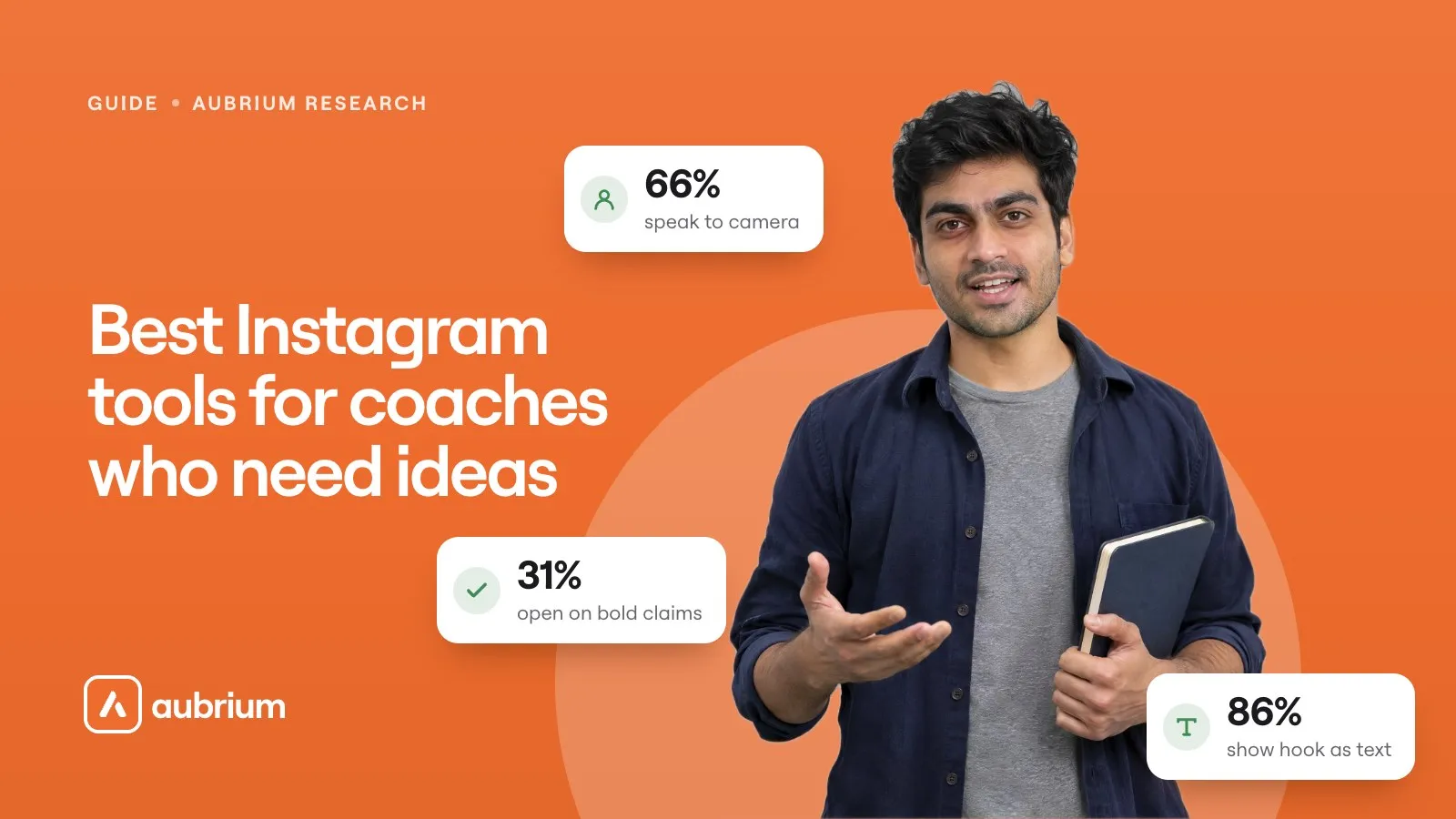
Mostly a coach talking to camera, opening on a bold claim. We studied the hooks on viral business coaching reels in Aubrium's library on 31 October 2026: 400+ reels, from 300+ creators.
Aubrium's library, 31 October 2026: 400+ viral business coaching reels. Every reel had already taken off, so none of these is the odds for a new post.
The most common hook wasn't the one that travelled furthest. The middle bold-claim reel reached 11 times its creator's followers. Questions, on 17% of the reels, reached 14 times. Curiosity gaps reached 19 times and warnings 17.
Here are four real hooks from that study, each from a different creator. None of them promises money, clients or income. That study left those lines out, and we'd leave them out of your reels too.
- QuestionText and spoken
How do you handle the stress of owning your own business?
- Curiosity gapText and spoken
Here's how we self sabotage in less than 60 seconds. Start the timer.
- RelatableText on screen
Business owners thinking they'll get a good night sleep
- Bold claimText and spoken
You must be on fire first in order to get a burnout.
Is sports coaching different?
Yes, and by a lot. Viral sports coaching reels are mostly tutorials: 55% of them. In what goes viral in sports coaching, read on 22 October 2026, 76% show a face and 87% put text on screen. Accounts under 10,000 followers posted 38% of them.
The openings differ too. On sports coaching hooks, 69% show the hook as text, and the middle hook runs 8 words.
| Business coaching | Sports coaching | |
|---|---|---|
| The hook is shown as text | 86% | 69% |
| The middle hook's length | 13 words | 8 words |
| Read on | 31 October 2026 | 22 October 2026 |
That gap is why we won't print one number for "coaches". We haven't published figures for life, health or mindset coaching, so we won't guess at them. What we can say is that the answer depends on the kind of coaching. Our guide to hooks across Instagram, niche by niche shows how much they vary.
The 8 tools at a glance
| Tool | What it shows you | Instagram reels? | Price from |
|---|---|---|---|
| 1. Aubrium | Coaching reels that took off, with their hooks | Yes: Yes | $49/mo |
| 2. AnswerThePublic | The questions people search | No: No | Free daily searches |
| 3. Google Trends | What people search on Google | No: No | No price stated |
| 4. Pinterest Trends | Pinterest searches and saves | No: No | No price stated |
| 5. CILA | Top posts from accounts you track | Yes: From your own list | $24/mo |
| 6. Metricool | Competitor stats, plus a scheduler | Partly: Professional accounts only | Free plan |
| 7. Meta Ad Library | Active ads on Facebook and Instagram | Partly: Ads and paid partnerships | No price stated |
| 8. ChatGPT | Drafts from a prompt | Partly: It drafts; it has web search | Free plan |
The 8 tools, one by one
1. Aubrium
Viral post library, with a writerFrom $49/moBest for: Seeing which coaching reels took off, and how they opened
Aubrium is a library of more than 290,000 Instagram posts that reached far more people than their creator has followers. Every account in it has 1,000 to 100,000 followers. You pick your niche, with business coaching and sports coaching among them, then filter by country, format and hook type.
Each reel shows its hook, transcript and caption. When one fits, Make my version writes your hooks, your script and a caption. You can also search a topic of your own, or track another coach to see which of their posts took off. It won't show you what people search on Google, it has no ads library, and it doesn't film or post for you.
- Pricing
- $49, $99 or $249 a month, for 2, 5 or 10 Instagram accounts.1
- Trial
- No free plan or trial. You can sign up with no card and see your niche's viral reels before you pick a plan. A first plan is refundable within 15 days.2
- Platforms
- Real coaching reels, with their numbers and hooks
- Only accounts with 1,000 to 100,000 followers
- A filter for hook type
- Instagram only for now
- No free plan or trial
- No search-question data
2. AnswerThePublic
Search listening toolFrom Free searchesBest for: Turning one topic into a list of real questions
AnswerThePublic calls itself "a search listening and keyword research platform". Type a topic and it shows the questions people search around it. For a coach, that's a list of things clients wonder about before they ever book a call.3
Its own screens say you get one free search a day with no account. Make one and you get three a day, with "no credit card needed". It shows searches, so there are no reels in it. You still have to decide how to open the post.
- Pricing
- Its plans are Starter, Growth and Business. We couldn't confirm its prices on the day we read it.3
- Platforms
- Search engines
- Free daily searches
- Questions in people's own words
- No Instagram posts
- Prices we couldn't confirm
3. Google Trends
Search trend toolFrom No price statedBest for: Checking that people look for a topic at all
Google Trends is Google's own tool to "explore what the world is searching for right now". Google's help page puts it plainly: "To check popular topics and searches, you can use Google Trends."4
For a coach it answers one thing. Are people looking for this topic? It's search data, so there are no reels in it and no hooks. The pages we read state no price. We didn't test it hands-on, and we can't tell you more than those pages do.
- Pricing
- No price on the pages we read.4
- Platforms
- Google search
- Google's own search data
- A quick check before you film
- No Instagram posts
- It gives topics, and no way to open them
4. Pinterest Trends
Search trend toolFrom No price statedBest for: Timing a topic that comes round each year
Pinterest Trends shows what people search and save on Pinterest. Pinterest says it gives "a historic view (up to the last two years)" of top trends "across different regions and countries". You can see when people start looking for something.5
That suits coaches whose year has seasons: new-year goals, exam time, pre-season training. It's Pinterest's data, so it says nothing about how a reel did. Pinterest adds that some features are "only available for certain regions". Its help page states no price.
- Pricing
- No price on Pinterest's help page.5
- Platforms
- Two years of search history
- Shows when interest starts to rise
- No Instagram data
- Some features only in some regions
5. CILA
Account trackerFrom $24/moBest for: Watching a list of coaches you already know
CILA calls itself "an Instagram and TikTok account tracking tool". You add creators to lists, and it shows which of their posts did better than usual. Its own line sums it up: "Look for outliers instead of views and likes." You can see transcripts and sounds.6
The catch is in the design. It only knows the accounts you give it. If you already follow ten coaches in your field, that's fine. If you don't know who to watch yet, it can't tell you. We didn't test it hands-on; this comes from its own site.
- Pricing
- $24 a month, $12 for the first month; Business is $48 for 250 accounts.6
- Trial
- No free plan or trial on its site; a 7-day money-back guarantee.6
- Platforms
- Instagram and TikTok
- Up to 50 accounts on the entry plan
- Works inside Claude or ChatGPT on a paid account
- You have to find the accounts first
6. Metricool
Scheduler and analyticsFrom Free planBest for: Scheduling, with a look at a few competitors
Metricool is a scheduler first, and a good one. Its free plan analyses 5 competitor profiles, and Starter up to 100. Its site also pitches an "AI assistant when you run out of ideas".7
Mind two limits. On Instagram you can only add professional accounts as competitors. And it doesn't flag which reel beat an account's usual; you sort and judge. Our piece on Aubrium and Metricool explains why many people use both.
- Pricing
- A free plan; Starter from $25 a month, or $20 billed yearly, before VAT.7
- Platforms
- Instagram and most other networks
- A free plan
- Posts on a schedule for you
- Competitors must be professional accounts
- It isn't built to find viral reels
7. Meta Ad Library
Meta's ad archiveFrom No price statedBest for: Seeing how other coaches pitch their offer
Meta says "anyone can view and search the Ad Library", and that you can search "for any term, name or Page". It holds "all active ads that are shown across Meta technologies", plus branded content with a paid partnership label.8
Search a coach's Page and you see the ad, the Page it ran from and the dates it ran. For an ordinary ad, Meta's table says two things aren't shown: what was spent, and how many times the ad was seen. So you learn how a coach words an offer. You don't learn whether it sold.
It lists ads and paid partnerships. Ordinary reels aren't in Meta's description of it. Meta's page states no price, and you need a Facebook login to download a search.
- Pricing
- No price on Meta's page.8
- Platforms
- Facebook and Instagram ads
- Anyone can view and search it
- Shows the ad itself and its dates
- No spend or view counts for ordinary ads
- Ads only, on Meta's description
8. ChatGPT
General AI assistantFrom Free planBest for: A first draft, once you know the topic and the form
ChatGPT is a general assistant, and it can search the web on every plan, the free one included.9 Give it a client question and a format, and ask for a draft. It's a general writing tool, so you can also hand it your own notes to reword.
What comes back is a draft. A line from a chat hasn't been posted, so nobody knows how it lands. We didn't test ChatGPT for this page. Our piece on Aubrium and ChatGPT for reel ideas covers where each one fits.
- Pricing
- A free plan; Plus is $20 a month. OpenAI's live pricing page didn't show us its figures, so this comes from an archived copy of its help page.9
- Platforms
- Not tied to one
- A free plan, with web search
- Drafts and rewording from a prompt
- Drafts, with no numbers behind them
How do you turn a client question into a reel?
Start with the question, then borrow the form from a reel that took off. Five steps cover it.
Collect the questions
Your clients and your DMs come first. Then run your topic through a question tool and keep the ones you hear in real life.
Find a reel on a nearby topic
Look for one that took off for an account near your size. A reel from a coach with a million followers tells you less.
Borrow the form
Note the type of opening line, the format and what's on screen. Then write it in your words, about your client's question.
Leave out the income promise
Say what you'll teach. Don't say what the viewer will earn.
Check it against your usual
After you post, compare the reel with your own normal views, and keep what beat them.
If you run your practice like a small business, with bookings and DMs to handle, our guide to Instagram content tools for small businesses covers those jobs. For idea apps beyond coaching, there's the wider list of apps for Instagram content ideas.
Which tool fits which coach?
| If you… | Pick |
|---|---|
| don't know how to open a reel | Aubrium |
| don't know which topic to pick | AnswerThePublic, then Google Trends |
| coach around a season | Pinterest Trends |
| already follow the coaches you admire | CILA |
| need posts to go out on time | Metricool |
| want to see how others sell | Meta Ad Library |
| have notes and need a draft | ChatGPT |
| want to spend nothing yet | AnswerThePublic's daily searches, with the free plans of Metricool and ChatGPT |
What each kind of tool can tell a coach
- Yes: A question tool: what people ask about your subject
- Yes: A reel tool: which openings and formats took off
- Yes: An ad archive: how other coaches word an offer
- No: No tool here can tell you a reel will do well before you post it
- No: A search trend can't tell you how to open the reel
Questions people ask
What's the best Instagram tool for coaches who need content ideas?
Aubrium, for seeing which coaching reels took off for accounts with 1,000 to 100,000 followers, and how they opened. Pair it with a question tool such as AnswerThePublic for the topics.
How do coaches come up with Instagram content ideas?
Two ways that work together. Collect the questions clients ask, and study the form of coaching reels that took off. The question gives you the topic, and the reel gives you the opening and the format.
What kind of reels do coaches post that take off?
It depends on the coaching. Of 400+ viral business coaching reels in Aubrium's library on 31 October 2026, 66% had someone speaking to camera. Viral sports coaching reels were mostly tutorials, at 55%. Those reels had all taken off already, so these are shares, and no promise for a new post.
Is AnswerThePublic free for coaches?
Partly. Its own screens say you get one free search a day with no account, and three a day with one. We couldn't confirm its paid prices in a browser.
Can I see other coaches' Instagram ads?
Yes. Meta says anyone can view and search the Meta Ad Library, by term, name or Page. It shows the ad and the dates it ran, and for ordinary ads it doesn't show spend.
Can ChatGPT write a coach's reels?
It can draft them, and it can search the web. What it writes is a draft until you post it. We didn't test it for this page.
Do coaches need a scheduler as well?
Only once you have posts to schedule. Aubrium doesn't schedule or post, so a scheduler such as Metricool sits after it. Its free plan is a fair place to start.
How we did this
We read each tool's own site on 16 November 2026: its home page, its pricing page and its help pages. We quote them where the wording matters. AnswerThePublic, Google Trends, Pinterest Trends, CILA, Metricool, Meta Ad Library and ChatGPT weren't tested hands-on: what we say about them comes from their own sites.
Where a site didn't state something, we say so. AnswerThePublic's prices appeared only in a copy its site serves to AI readers, so we left them out. OpenAI's live pricing page showed no figures, so ChatGPT's price comes from an Internet Archive copy. Google's, Pinterest's and Meta's pages gave no price.
The coaching numbers come from Aubrium's library, as published in our business coaching post on 31 October 2026 and our sports coaching posts on 22 October 2026. We have no figure for coaching as a whole, so we don't give one. Apps change; if something here is out of date, tell us and we'll fix it and move the date. And yes, Aubrium makes this page.
Sources
- Aubrium pricingaubrium.com · Plans, accounts and Sparks. Read 16 November 2026.
- Can I get a refund?Aubrium Help Center · A first subscription refunded in full within 15 days. And looking round before a plan. Read 16 November 2026.
- AnswerThePublicanswerthepublic.com · What it is, the free daily searches. And its pricing page: plan names; prices not confirmed in a browser. Read 16 November 2026.
- Google TrendsGoogle · What it is. And its help page. Read 16 November 2026.
- Pinterest TrendsPinterest Business Help Center · What the tool shows, regions. Read 16 November 2026.
- CILAcila.app · What it tracks, plans, the money-back guarantee. And CILA in Claude or ChatGPT. Read 16 November 2026.
- Metricool pricingmetricool.com · The free plan, Starter, competitors. And its home page. Read 16 November 2026.
- About the Meta Ad LibraryMeta Business Help Center · What it holds, who can search it, what an ad shows. Read 16 November 2026.
- What is ChatGPT Plus?OpenAI Help Center, Internet Archive copy of 12 November 2026 · The Plus price. And ChatGPT search, copy of 30 October 2026: web search on every plan. Read 16 November 2026.
Changelog
- First version.
Read next
 Tools & Comparisons13 min readBest tools for UGC creators to find viral content ideasA UGC creator needs two kinds of reference: the ads brands run, and the organic reels that take off on their own. Eight tools, sorted by which one they show you.
 Tools & Comparisons13 min readBest Instagram tools for creators who are just starting outA new creator needs few tools, and most cost nothing. Eight compared by job, with what to use from day one, what to pay for, and what to skip until later.
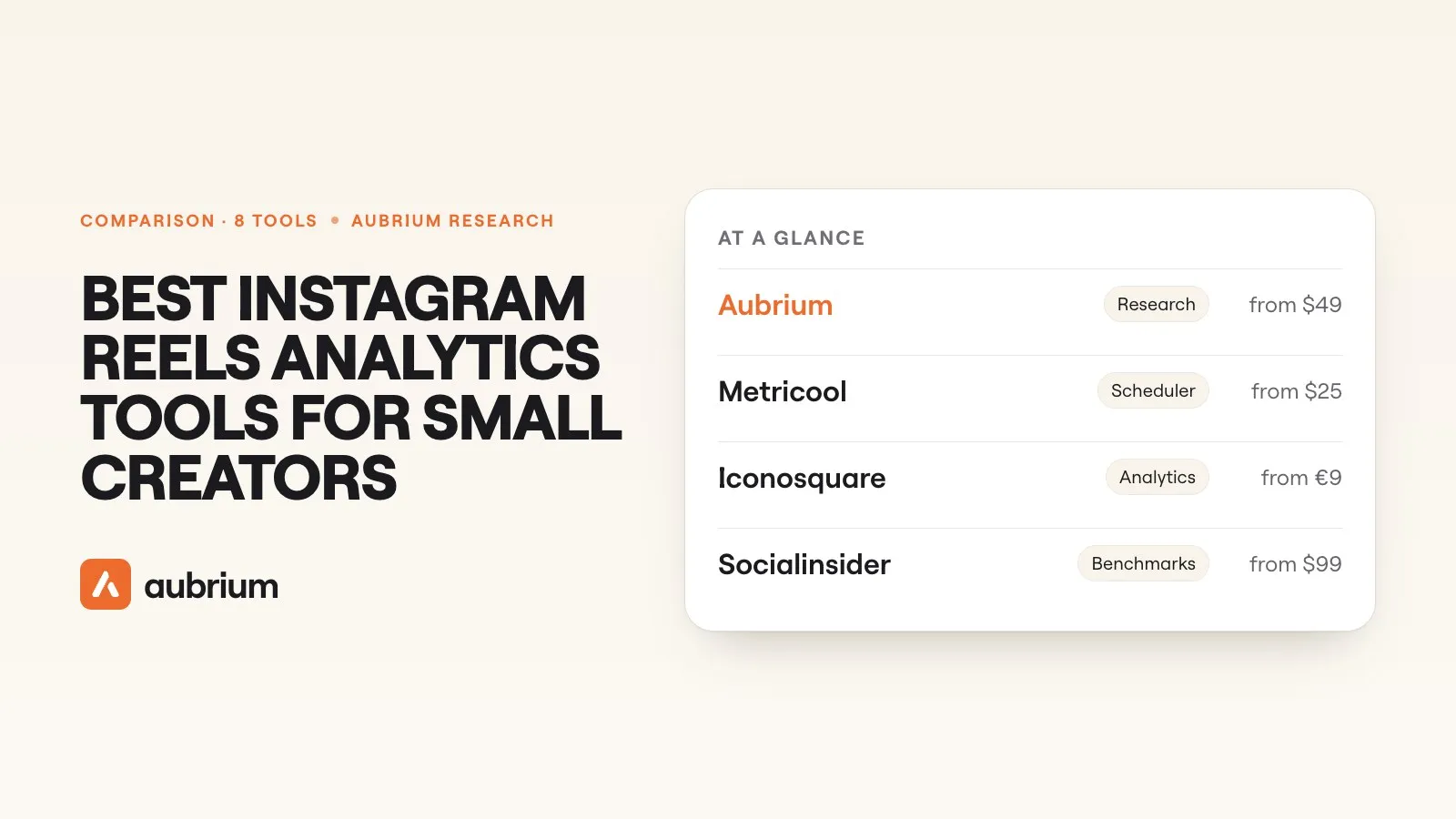 Tools & Comparisons14 min readBest Instagram reels analytics tools for small creatorsEight reels analytics tools for a small account, compared: what Instagram Insights shows at no cost, what each paid tool adds, and what they cost today.